External Attack Surface Management
Attack Surface Management EASM
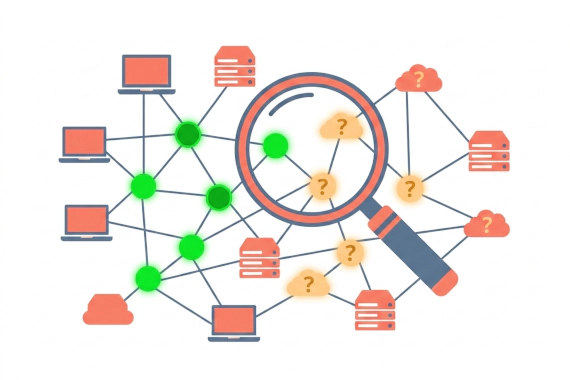
What Are External Attack Surface Management Tools? External attack surface management (EASM) tools continuously discover …

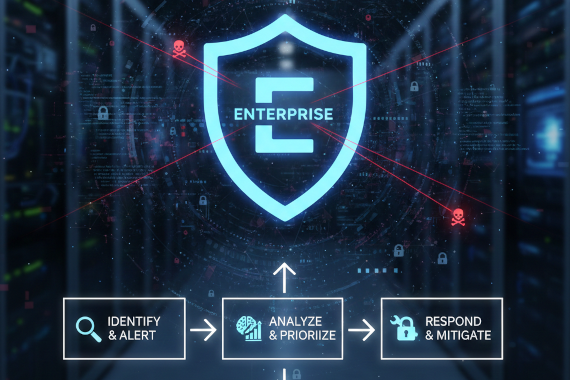
Learn exactly what to do when each type of dark web alert lands in your queue.
• Compromised credentials need immediate password resets and a check for password reuse across other services
• Session token alerts are more urgent than passwords because they bypass MFA. Revoke tokens within minutes, not hours
• Ransomware victim alerts require you to determine what was claimed and whether it’s your data or a vendor’s. Search leaked files for your company name immediately
• Attack surface alerts about lookalike domains need risk assessment first. Phishing domains get takedown requests. Forgotten subdomains get locked down
• Webhook alerts piped into your SIEM or SOAR let you automate the first response steps for every alert type
Most dark web monitoring guides stop at ‘you should monitor the dark web.’ They don’t tell you what happens after the alert fires.
How you respond in the first 30 minutes decides whether an exposed credential becomes a breach or a closed ticket. Different alert types need different playbooks.
This page is organized by alert type. Find the alert you’re dealing with and follow the steps.
Each section covers what the alert means and why it’s urgent. Then it walks you through response steps.
A credential leak and a ransomware victim announcement are very different problems. They need different response speeds and different teams.
Generic incident response plans don’t account for this. They give you a flowchart that starts with “assess the situation” and ends with “document lessons learned.” That’s not helpful when you’re staring at an alert saying your CFO’s online bank’s session token just showed up in a stealer log.
The Verizon 2025 DBIR found that stolen credentials were involved in 88% of basic web application breaches. Speed matters. The playbooks below tell you exactly what to do for each alert type.
What it means. An employee’s email and password appeared in a breach dump or stealer log. Breachsense cracks hashed passwords to plaintext, so you know the exact password that’s exposed.
Why it’s urgent. Attackers run credential stuffing attacks within hours of a breach going public. If the exposed password matches what’s currently in use, your window to act is short.
1. Verify the scope. Check how many accounts are affected. A single credential from an old breach is different from 200 employee passwords in a fresh stealer log. Use the Breachsense API to query your full domain for related exposures. See API workflows and use cases for endpoint-by-endpoint guidance.
2. Force password resets. Reset every affected account immediately. Don’t notify users and wait for them to act. Force the reset through your identity provider.
3. Check for reuse. Employees reuse passwords. If the same password appears on their corporate email, check whether it matches credentials for VPN and cloud apps. Check internal tools too.
4. Investigate the source. Was this a third-party breach or a stealer log? Stealer logs mean malware was on the device. That’s a bigger problem than a password leaking from a breached SaaS vendor. If the source is an infostealer, scan the endpoint.
5. Log and track. Create a ticket in your SIEM. Webhook alerts from Breachsense can auto-create these tickets so nothing falls through the cracks.
What it means. An active session token or authentication cookie from an employee’s browser showed up in a stealer log. This is worse than a stolen password.
Why it’s urgent. Session tokens skip MFA completely. An attacker with a valid token doesn’t need the password or the second factor. They’re already authenticated.
1. Revoke immediately. Kill the session. Invalidate the token across every service it grants access to. This is your most time-sensitive alert type.
2. Invalidate all sessions for the user. Don’t just kill the compromised token. Invalidate every active session for that user. The infostealer may have grabbed multiple tokens.
3. Check for lateral movement. Review login logs for the affected user. Look for access from unfamiliar IPs or at unusual times. If the attacker already used the token, you need to know what they touched.
4. Scan the endpoint. Session tokens come from infostealers running on the device. The machine is compromised. Isolate it and run a full scan with your EDR tool.
5. Reset credentials after remediation. Once the endpoint is clean and sessions are revoked, force a password reset and re-enroll MFA.
Enterprise dark web monitoring catches session tokens that your endpoint tools miss. The infostealer exfiltrates the data before your EDR detects it.
What it means. Your company or one of your vendors was named on a ransomware gang’s leak site. Breachsense tracks over 100 ransomware groups and indexes the files they publish.
Why it’s urgent. Once data hits a leak site, it spreads fast. Other criminals download and exploit it. Your response window shrinks every hour.
Ransomware leak site is a website run by a ransomware gang where they publish stolen data from victims who don’t pay. These sites are the primary way attackers pressure victims. Monitoring them tells you when your data or a vendor’s data gets published so you can respond before it spreads further.
1. Assess what’s claimed. Read the leak site posting carefully. What data do the attackers claim to have? Is it your company directly or a vendor?
2. Determine if it’s your data or a vendor’s. If a vendor was breached, your data may still be in the dump. Search the leaked files for your company name and domain using Breachsense’s full-text search. Search for employee names too.
3. Activate your IR team. If it’s your company, this becomes a full incident. Loop in legal and communications. Brief executive leadership.
4. Search the leaked files. Don’t wait for the full dump to be analyzed manually. Use Breachsense to search leaked documents for your sensitive data. Look for contracts and customer records. Check for credentials and internal files too.
5. Assess third-party risk. If a vendor was hit, determine what data they held for you. Reset any shared credentials. Review your contractual obligations and their breach notification requirements.
What it means. Breachsense found a lookalike domain impersonating your brand, or discovered a forgotten subdomain tied to your infrastructure. Attack surface management catches these before attackers exploit them.
Why it’s urgent. Phishing domains impersonating your brand steal your employees’ and customers’ credentials. Forgotten subdomains can be hijacked for attacks.
1. Classify the finding. Is it a phishing domain (someone registered a lookalike to impersonate you) or a shadow IT (your own subdomain that’s unmonitored)?
2. For phishing domains, initiate a domain takedown. Breachsense offers takedown services for malicious domains impersonating your brand. Start the takedown process immediately. The longer it’s live, the more credentials it steals.
3. For forgotten servers, remediate. Check what’s running on the subdomain. Is it an old staging server? A decommissioned app? Either lock it down or take it offline.
4. Check for damage already done. If the phishing domain was live, search for compromised credentials that may have been harvested through it.
What it means. Someone mentioned your company on a hacker forum or Telegram channel. They might be selling network access or sharing stolen files. Sometimes it’s just discussion about attack plans.
Why it’s urgent. This could mean an active intrusion you haven’t detected. Initial access brokers sell network access to ransomware gangs. If someone is selling access to your environment, you may already be compromised.
Initial access broker is an attacker who breaks into company networks and sells that access to other criminals. Ransomware gangs are their biggest buyers. If someone is selling access to your environment on a hacker forum, you may already be compromised. Detecting these sales early gives you a chance to lock them out before a ransomware attack starts.
1. Validate the claim. Not every forum post is real. Some are scams. Review what’s being claimed and assess credibility based on the source and the attacker’s reputation.
2. Escalate to your IR team. Even unverified claims warrant investigation. Your team should hunt for indicators of compromise matching what’s being discussed.
3. Hunt for IOCs. If the post mentions specific access methods, check your logs. Look for unauthorized VPN connections and unusual RDP sessions.
4. Increase monitoring. Tighten alerting thresholds temporarily. Watch for credential stuffing attempts and unusual login patterns across your environment.
What it means. One of your vendors appeared in breach data. Their compromised credentials or leaked files may include data related to your company.
Why it’s urgent. Supply chain attacks remain a top threat according to CISA. When your vendor gets breached, your data goes with them.
1. Assess your exposure. What data does this vendor have access to? Do they hold customer records or credentials related to your systems? Check for shared API keys too.
2. Search for your data in the leak. Use Breachsense to search leaked files for your company name and domain. Find out if your information was included in the dump.
3. Reset shared credentials. Any credentials shared with the compromised vendor need to be rotated immediately. This includes API keys and service accounts.
4. Contact the vendor. Reach out to their security team. Ask what happened and what data was affected. Get their remediation timeline.
5. Review your vendor monitoring process. If this caught you off guard, you have a gap. Continuous monitoring of vendor domains catches these exposures automatically.
Manual response doesn’t scale. If you’re getting dozens of alerts per week, you need automation handling the first steps.
Breachsense sends webhook alerts that plug directly into your SIEM or SOAR platform. Here’s what to automate for each alert type.
Compromised credentials. Auto-create a ticket with the affected user and exposed password (hashed in the ticket). Include the source. Trigger a forced password reset through your identity provider.
Session tokens. Auto-revoke sessions and create a high-priority incident. Session token alerts should page your on-call analyst, not sit in a queue.
Ransomware victim alerts. Auto-notify your IR lead and create an incident with the affected entity. Tag it as vendor-related or direct depending on the alert.
Attack surface alerts. Auto-create a ticket for your infrastructure team. Tag phishing domains as high-priority for takedown.
Combine webhook alerts for real-time response with API queries for deep-dive analysis.
This playbook gives you the response framework. But it only works if you’re getting the alerts in the first place.
Dark web monitoring catches the credential exposures and threat intelligence that your internal security tools miss. Your firewall doesn’t see what’s being sold on hacker forums. Your EDR doesn’t know about the stealer log that just published an employee’s session token.
Run a dark web scan to see what’s already exposed. Then set up continuous monitoring so the next alert triggers a playbook, not a scramble. If you’re still evaluating vendors, our enterprise dark web monitoring FAQ covers the questions that come up in most assessments.
Verify the scope. Check how many accounts are affected and whether the password is still active. Force a reset on every affected account and check for password reuse across other services. Then investigate where the credential came from, whether that’s a third-party breach or stealer log.
Session tokens let attackers bypass MFA entirely. A stolen password still hits your MFA wall. A valid session token skips authentication completely. That’s why you need to revoke tokens within minutes. Breachsense detects session tokens from stealer logs and alerts you before attackers use them.
First, determine what relationship you have with that vendor and what data they hold. Search leaked files for your company name using Breachsense’s full-text search. Contact the vendor’s security team. Review any shared credentials and reset them. Check your third-party risk management process for gaps.
Yes. Breachsense sends webhook alerts to your SIEM or ticketing system. You can build automated playbooks that create tickets and trigger password resets based on alert type. High-severity alerts can escalate directly to your IR team. The REST API also lets you query historical data during investigations.
A credential alert tells you something already leaked. A OSINT alert tells you someone is selling access to your network or discussing your company on hacker forums. OSINT alerts require immediate investigation because they may indicate an active intrusion you haven’t detected yet.
Breachsense monitors for lookalike domains and homoglyph attacks against your brand. It also tracks Certificate Transparency logs for suspicious SSL certificates. When a phishing domain is found, Breachsense offers takedown services to remove the threat at the source.
Attack Surface Management EASM
What Are External Attack Surface Management Tools? External attack surface management (EASM) tools continuously discover …
Threat Intelligence Dark Web Monitoring
What Is Cyber Threat Intelligence Software? You can’t monitor every dark web forum and criminal channel yourself. CTI …