
Data Risk Management: Framework, Assessment & Strategies
Risk Management Data Security Best Practices
What is data risk management? Every company has data worth stealing. The question is whether you know where it is and …

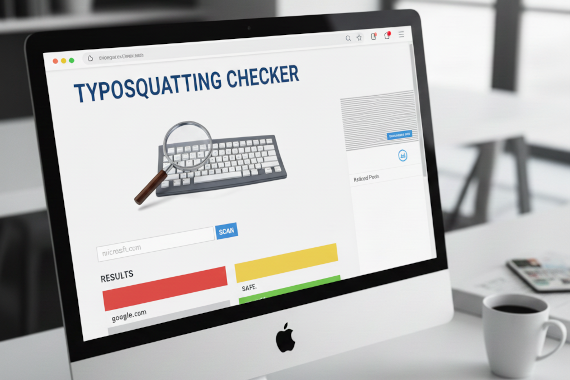
Learn how to detect lookalike domains targeting your brand before attackers use them against your employees.
• Typosquatting checkers generate hundreds of domain variations and show you which ones are already registered by potential attackers
• Free tools like CIRCL Typosquatting Finder use 21 different algorithms to catch character swaps, missing letters, and homoglyph attacks
• Point-in-time scans find existing threats but attackers register new domains daily, making continuous monitoring essential
• Combine typosquatting checkers with credential monitoring to catch both the fake domains and the stolen passwords they harvest
Your employees are one typo away from handing their credentials to attackers. It happens every day. Someone types ‘ofice.com’ instead of ‘office.com’ and lands on a perfect replica of the Microsoft login page.
Zscaler ThreatLabz found over 30,000 lookalike domains targeting just 500 major websites in six months. More than 10,000 were confirmed malicious. These aren’t sophisticated attacks. They’re simple typos exploited by attackers who registered domains before you knew they existed.
Typosquatting checkers let you find these fake domains before your employees do. Enter your domain, get a list of variations, and see which ones are already registered and potentially dangerous.
Here’s how these tools work, which ones security teams actually use, and what they can and can’t do for your brand protection strategy.
You can’t defend against domains you don’t know exist. Typosquatting checkers solve that visibility problem.
Typosquatting checkers are tools that generate hundreds or thousands of domain name variations based on common typing errors, then check which variations are already registered. They help security teams identify potentially malicious lookalike domains before attackers use them for phishing or credential theft.
These tools automate what would take hours manually. Instead of guessing which typos of your domain might exist, you get a complete list with registration status, IP addresses, and often similarity scores showing how convincing each fake domain might be.
Security teams use typosquatting checkers for proactive brand protection. Running periodic scans reveals new threats as attackers register them. When you find a suspicious domain, you can investigate further, request takedowns, or add it to your blocklists before employees encounter it.
The problem? Attackers register new domains constantly. Point-in-time scans catch existing threats but miss new registrations the next day. That’s why typosquatting checkers work best as part of a broader monitoring strategy.
Every typosquatting checker follows the same basic process. Understanding the algorithms helps you evaluate which tool catches the most threats.
The core of any typosquatting checker is its permutation engine. Different algorithms generate different types of fake domains:
Character Omission: Removes one letter at a time. ‘google.com’ becomes ‘gogle.com’, ‘goole.com’, ‘googl.com’. Users who type too fast often skip letters.
Character Repetition: Doubles letters. ‘google.com’ becomes ‘googgle.com’, ‘gooogle.com’. Common when users accidentally hold keys too long.
Character Replacement: Swaps letters with adjacent keyboard keys. ‘google.com’ becomes ‘foogle.com’, ‘hoogle.com’. Targets muscle memory errors.
Homoglyph Substitution: Uses visually similar characters from different alphabets. The Cyrillic ‘а’ looks identical to the Latin ‘a’ but creates a different domain. These attacks are nearly impossible to spot visually.
TLD Variations: Changes the domain extension. ‘amazon.com’ becomes ‘amazon.co’, ‘amazon.net’, ‘amazon.org’. Users often default to ‘.com’ even when the real site uses a different TLD.
After generating variations, the checker performs DNS lookups to see which domains resolve to IP addresses. Registered domains that resolve might already host malicious content.
Better tools add enrichment data:
Advanced checkers calculate how convincing each fake domain might be. A domain that differs by one visually similar character scores higher than one with obvious differences. This helps security teams prioritize their investigation efforts.
Several free tools serve security teams well. Each has different strengths depending on your use case.
The CIRCL Typosquatting Finder from the Computer Incident Response Center Luxembourg offers the most comprehensive free scanning available.
What makes it stand out: 21 different permutation algorithms including omission, repetition, replacement, homoglyph, vowel swap, wrong TLD, and more. Most other free tools use far fewer algorithms.
Features:
Best for: One-time comprehensive scans when you need maximum coverage. The algorithm diversity catches variations other tools miss.
Limitations: Web-based only with no API access. No ongoing monitoring. You’ll need to manually run scans periodically.
DNSTwister focuses on simplicity and ongoing monitoring capabilities.
What makes it stand out: Offers email alerts for new domain registrations matching your variations. This adds basic continuous monitoring without the cost of enterprise solutions.
Features:
Best for: Teams that want basic monitoring without building their own infrastructure. The email alerts catch new threats as they’re registered.
Limitations: Fewer algorithms than CIRCL. Monitoring covers limited variations compared to comprehensive enterprise solutions.
For technical teams, the open-source dnstwist command-line tool provides maximum flexibility.
What makes it stand out: Industry standard tool that powers many commercial solutions. Full control over scanning parameters and output formats.
Features:
Best for: Security teams comfortable with command-line tools who want to build custom scanning workflows. Penetration testers and red teams use dnstwist for reconnaissance.
Limitations: Requires technical expertise. No web interface. You’re responsible for scheduling and managing scans.
Have I Been Squatted provides a simple web interface with community-driven data.
What makes it stand out: Based on the open source twistrs project with a focus on accessibility. Good option for quick checks without learning complex tools.
Features:
Best for: Teams wanting an accessible entry point to typosquatting monitoring without complex setup.
Limitations: Less comprehensive than CIRCL or dnstwist. Limited enrichment data.
Here’s how the main options stack up for security team use cases:
| Tool | Algorithms | Monitoring | API | Best For |
|---|---|---|---|---|
| CIRCL Typosquatting Finder | 21 types | No | No | Comprehensive one-time scans |
| DNSTwister | Multiple | Yes ($35/yr) | Yes | Basic ongoing monitoring |
| dnstwist CLI | Extensive | Build your own | N/A | Custom automation workflows |
| Have I Been Squatted | Multiple | Yes (from $59/yr) | No | Entry-level monitoring |
For most security teams, start with CIRCL for deep one-time scans, then consider DNSTwister if you need basic monitoring alerts. Technical teams should evaluate dnstwist for integration into existing tooling.
Running a scan is easy. Getting value from the results takes process.
Initial baseline scan: Run your primary domains through CIRCL to get the most comprehensive view. Document all registered variations you find.
Prioritize by risk: Focus first on domains that resolve to active IP addresses, have mail servers configured, or display web content similar to yours. These indicate active or imminent threats.
Regular rescans: Attackers register new domains constantly. Monthly scans at minimum, weekly for high-risk organizations. DNSTwister’s email alerts can supplement scheduled scans.
Integration with blocklists: Add confirmed malicious domains to your DNS filtering, email gateway, and web proxy blocklists. This prevents employees from reaching the fake sites.
Finding a suspicious domain is step one. Here’s the response workflow:
Typosquatting checkers find the fake domains. But what happens when those domains successfully harvest credentials before you catch them?
Credential monitoring complements typosquatting detection by alerting when employee passwords appear in breach databases or dark web marketplaces. If a typosquatting attack succeeds before you detect the fake domain, credential monitoring catches the stolen passwords before attackers exploit them.
The combination matters. Typosquatting checkers help you stop attacks before they happen. Credential monitoring catches the ones that slip through. Together they cover both sides of the problem.
Free tools have real constraints. Understanding them helps set realistic expectations.
Most free typosquatting checkers provide snapshots. You run a scan today and see what exists now. Tomorrow, an attacker registers a new variation you won’t know about until your next scan.
Enterprise solutions monitor continuously, alerting on new registrations within hours. Breachsense’s attack surface management API includes typosquatting domain detection as part of broader external threat monitoring. Free tools require you to build that monitoring yourself through scheduled scans and comparison of results over time.
A comprehensive scan generates hundreds of variations. Many registered domains are:
Filtering signal from noise takes analyst time. Similarity scoring helps, but human review remains necessary for accurate prioritization.
No tool catches everything. Attack techniques evolve:
login.amaz0n.com that root domain scanners missMultiple tools with different algorithms provide better coverage than any single solution.
Finding a malicious domain doesn’t stop employees from visiting it. You still need:
Typosquatting checkers show you what’s out there. They don’t block threats on their own.
Typosquatting checkers give security teams visibility into an attack surface they often miss. Free tools like CIRCL Typosquatting Finder and dnstwist provide solid detection capabilities without budget approval.
The key takeaways:
Point-in-time scans have limits. Attackers don’t wait for your next scheduled scan to register malicious domains. For continuous protection, you need ongoing monitoring of both lookalike domains and the credentials they might harvest.
A typosquatting domain is a fake website address designed to capture traffic from users who mistype legitimate URLs. Attackers register domains like ‘gogle.com’ or ‘amazn.com’ to steal credentials or distribute malware. These domains exploit predictable human typing errors.
Use a typosquatting checker like CIRCL or DNSTwister to scan for lookalike domains. Enter your legitimate domain and the tool generates hundreds of variations using different algorithms. Results show which variations are registered, their IP addresses, and similarity scores to help you prioritize threats.
Look for character substitutions like ‘rn’ instead of ’m’, missing or extra letters, wrong TLDs like ‘.co’ instead of ‘.com’, and added words like ‘amazon-security.com’. Phishing domains often have valid SSL certificates, so the padlock icon alone doesn’t guarantee legitimacy.
DMARC checkers help prevent email spoofing but don’t stop typosquatting attacks. DMARC verifies that emails claiming to be from your domain are legitimate. It won’t block attackers who register lookalike domains and send emails from those fake addresses. You need typosquatting detection alongside email authentication.
Domain squatting is registering domain names containing trademarked terms to profit from them. Typosquatting is a specific type that uses misspelled versions of legitimate domains. Both threaten your brand, but typosquatting specifically targets users who make typing mistakes. Dark web monitoring can detect when credentials stolen through either attack appear for sale.
File a complaint through ICANN’s Uniform Domain-Name Dispute-Resolution Policy (UDRP) for trademark infringement. You can also report directly to the domain registrar’s abuse contact and submit the domain to browser safe browsing lists. For US trademark holders, the Anticybersquatting Consumer Protection Act provides additional legal remedies.
Risk Management Data Security Best Practices
What is data risk management? Every company has data worth stealing. The question is whether you know where it is and …

Authentication Dark Web Monitoring Credential Monitoring Security Tools
Top 10 Account Takeover Solutions at a Glance Platform Category Best For Breachsense Credential Intelligence Dark web …