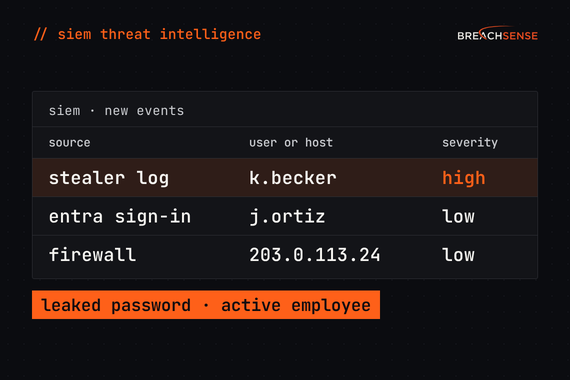
SIEM Threat Intelligence: How to Add Leaked Credential and Stealer-Log Data

Quick Summary
Adding leaked credential data to a SIEM takes six steps:
- Choose which leaked data to send: start with credentials, session cookies, leak site posts and leaked files.
- Connect Breachsense to your SIEM: we send new alerts by webhook. For historical records, query our API.
- Match each record to an account: look up the leaked username in your user directory, such as Active Directory or Entra ID. For stealer logs, also find the infected device in your asset inventory.
- Give each SIEM rule a first action: for a stealer log alert on a company device, clean the device before resetting passwords.
- Stop alerts for credentials you’ve already handled: add the username and password pairs to our whitelist.
- Send a test alert: check that your SIEM puts every field in the right column.
Why Leaked Credentials Belong in Your SIEM
Verizon’s 2026 Data Breach Investigations Report studied ransomware victims. 73% had a credential or infostealer leak in the year before the attack. Half of those victims had a leak in the 95 days before the attack.
Credential and infostealer leaks happen outside your network, such as on an infected home computer or in a vendor’s breach. Your firewall, endpoint and sign-in logs come from your own systems. None of those logs shows which passwords were stolen.
Why Listen to Us?
Breachsense has indexed over 44 billion leaked credentials from stealer logs, combo lists, phishing kits and third-party breaches.
Josh Amishav founded Breachsense in 2018. He has run penetration tests for financial institutions and government agencies for nearly 20 years.
TechTarget and the Center for Internet Security’s MS-ISAC (Multi-State Information Sharing and Analysis Center) have cited our ransomware research.
What Is SIEM Threat Intelligence?
Your SIEM (security information and event management system) collects logs from your network, endpoints and cloud apps. It correlates those logs to find attacks. SIEM threat intelligence is outside data that the SIEM matches against those logs and your user directory.
That outside data can be IP addresses and domains linked to attackers, or your employees’ leaked credentials. It can also include reports on the attackers themselves, such as the tools they use.
Microsoft Sentinel takes in threat intelligence through data connectors, STIX/TAXII feeds and a REST API, according to Microsoft’s Sentinel documentation. The SIEM matches that intelligence against your logs. For example, you get an alert when your firewall logs a connection to an attacker’s IP address.
Indicators of Compromise vs. Leaked Data
IOCs (indicators of compromise) and leaked data are two kinds of threat intelligence your SIEM can match automatically.
| Kind | Examples | Matched against |
|---|---|---|
| IOCs | IP addresses, domains, file hashes | Your network and endpoint logs |
| Leaked data | Leaked credentials, stealer logs, session cookies, ransomware leak site posts | Your users, devices and vendors |
An IOC match tells you something linked to an attacker showed up in your network or endpoint logs. A leaked data match tells you an employee’s password or session cookie was stolen. Stealer logs contain saved passwords, cookies, device details and other data that infostealer malware copies from infected devices. A stealer log with an employee’s work password won’t match any firewall log. Instead, your SIEM checks the leaked username against your user directory, such as Active Directory or Entra ID. The SIEM raises an alert when the username belongs to an active account. Then check whether the employee still uses the leaked password.
How to Add Leaked Credential and Stealer-Log Data to a SIEM
Get our records into your SIEM by webhook or by querying our API. Then match each leaked username to an account in your user directory.
1. Choose Which Leaked Data to Send to Your SIEM
Breachsense is a dark web monitoring API for security teams and MSSPs (managed security service providers). The examples below use our field names, which our API documentation lists for each data type. Start with these five data types.
| Data | Endpoint | Key fields | What it tells the SOC (security operations center) |
|---|---|---|---|
| Breach credentials | creds | eml, pwd, src, fnd | Which work email and password leaked, from which breach, and when we found it |
| Stealer logs | stealer | usr, pwd, src, fnd, plus mal, inf, iip, hid, mac and nme when the log records them | Which account on which site, from which infected device, and when the device was infected |
| Session cookies | sessions | dom, cookie_name, expires, fnd, plus user_name and inf when the log records them | Which session cookies leaked, for which site, and when each cookie expires |
| Leak site posts | darkweb | name, data, site, found | Which company a ransomware group listed, the company’s domain, the group’s name and when we found the post |
| Leaked files | docs | file_name, company_name, threat_actor, leak_date, url_for_breach | Which leaked file matched a domain or term on your watchlist, which company it leaked from, when it leaked and a link to the file |
Combo lists (combo) and passwords typed into phishing pages (phish) can go into the SIEM by webhook or API too. So can leaked API keys and tokens (nhi).
2. Get New Alerts by Webhook and Historical Records From Our API
We send a webhook alert when we find a new record that matches your watchlist. For historical records, query our dark web monitoring API.
| Route | How it works | Watch for |
|---|---|---|
| Push (webhook) | We send each alert as an HTTP POST with a JSON array. Each record also includes ast (the watchlist item it matched) and api (the alert type). Basic auth is optional. | When we find many matching records at once, we send them in several POSTs. |
| Pull (scheduled API calls) | A scheduled job, such as a script or an Azure Logic App, calls our API and sends the results to your SIEM. Results come as JSON or CSV. | The default rate limit is 1 request a second, with bursts of up to 5. Beyond that, the API returns HTTP 429. |
Some SIEM collectors expect their own token header or event format. Put a small relay between our webhook and the collector to reformat each alert. For example, Sentinel takes custom data through Microsoft’s Logs Ingestion API, which needs an OAuth token. So Sentinel teams can relay alerts through an Azure Logic App.
3. Match Leaked Credentials to Your Users and Devices
Look up each leaked username in your user directory to find the account owner. Use usr for stealer log records and eml for breach records. If the account belongs to someone who has left your company, verify that the account is disabled.
For stealer logs, find the infected device in your asset inventory or EDR (endpoint detection and response) tool. Three fields identify the device when the stealer log records them. The mac field gives the device name, hid the hardware ID and iip the infected IP address. Despite its name, mac isn’t a MAC address. A typical value is DESKTOP-4QH7T2M. With NAT, every device on a network shares one public IP address. So an office IP address can match many devices. Use the device name or hardware ID when you have them.
The nme field in stealer logs gives the user name logged in on the infected device. So does user_name in session cookie records. That name helps you find the employee when the device isn’t in your asset inventory.
An infected device that isn’t in your asset inventory is likely an employee’s personal computer or a contractor’s. Block that device from your network and apps until its owner cleans it. While the device is blocked, reset the user’s work passwords from a clean device and revoke their session tokens.
4. Create Alert Rules That Tell Analysts What to Do
Give each rule a severity and a first action.
| Rule | Severity | First action |
|---|---|---|
| A stealer log record for a current employee with a recent infection date, such as the last 30 days | High | Reimage the device, or clean it if your EDR finds no other malware. Then reset the passwords and revoke the session tokens |
| A session cookie for one of your sign-in domains that hasn’t expired | High | Revoke the user’s session tokens in your identity provider. Sign the user out of the app the cookie is for |
| A breach or combo list credential for a current account | High if still in use, low if not | Check whether the employee still uses the password. If so, reset it |
| A term on your watchlist shows up in a file leaked in a vendor’s breach | Medium | Open the file and check which of your data it contains |
| Your company or a key vendor listed on a ransomware leak site | High | Start incident response. For a vendor, search its leaked files for your data |
Clean a company device before the reset. Otherwise the malware can steal the new password too.
Your team or a SOAR (security orchestration, automation and response) playbook does the resets. Each credential alert includes the leaked password, cracked from its hash where we can. The playbook can compare the leaked password with the password hash Active Directory stores for that account. If the employee still uses that password, the playbook resets the account.
After a stealer log alert from our compromised credential monitoring, find every other credential stolen from the same device. Search our API by the device’s IP address. Then filter the results for the same hardware ID or device name.
5. Suppress What You’ve Already Handled
The same credential can turn up again in a later leak, months after you reset it.
Add a username and password pair to our whitelist to suppress alerts for that pair only. Add a username on its own to suppress every credential alert for that account. Use the whitelist for rotated or old passwords, test or honeypot accounts and credentials you’ve already fixed. The whitelist allows 1,000 entries per license.
A whitelisted credential still shows up when you query the API.
Combo lists and reposted stealer logs often repeat the same username and password. Deduplicate on that pair, so your SIEM opens one case per credential.
6. Test the Pipeline
We send a test alert with example credentials to every webhook and email address set up for a watchlist item. The test record uses the combo list alert’s fields. Each test record includes a “test”: true field, so your SIEM can tell it apart from a real alert.
Check that the SIEM parsed every field into the right column. Then add a rule that opens a case when “test” is true. Check that the case shows the first action for a combo list alert.
Start With the Data About Your Own Users
Start with stealer log records for current employees. A stealer log record can tell you which device to clean and which passwords to reset.
Book a demo and we’ll show you leaked credentials for your domains during the call. A trial is available after a demo call, so you can send our webhook alerts to your own SIEM.