Data Risk Management: Framework, Assessment & Strategies
Risk Management Data Security Best Practices
What is data risk management? Every company has data worth stealing. The question is whether you know where it is and …

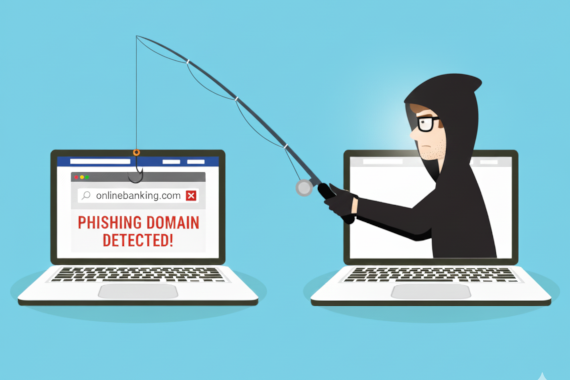
Learn to detect malicious domains impersonating your brand before attackers exploit them against your employees.
• Attackers register lookalike domains using typosquatting, homoglyph attacks, and brand keyword insertion to steal credentials
• Microsoft, Google, and Amazon account for 75% of all phishing domain impersonation attacks globally
• Phishing attacks cost an average of $4.8 million and take 254 days to identify and contain
• Continuous monitoring detects malicious domain registrations before attackers can weaponize them against your organization
Zscaler ThreatLabz found over 10,000 malicious lookalike domains targeting 500 major brands. That’s not a hypothetical risk. It’s happening right now.
These fake sites steal employee credentials, distribute malware, and launch business email compromise attacks. One mistyped URL is all it takes for attackers to own your accounts.
Most security teams discover phishing domains after the damage is done. By then, credentials are already harvested, sold on dark web markets, or used to breach your network.
Here’s how phishing domains work, which brands attackers target most, and what your security team can do to detect threats before they strike.
Attackers don’t need to hack your network when they can trick your employees into handing over their credentials. Phishing domains make that possible.
Phishing domains are malicious websites that impersonate legitimate brands by using similar-looking domain names. Attackers register these domains using typosquatting, homoglyph attacks, or combosquatting to create convincing fake sites that steal login credentials, distribute malware, or commit financial fraud.
Unlike email phishing that relies on deceptive messages, phishing domains create entire fake websites. An employee types a URL with a minor typo, clicks a link in a convincing email, or searches for a service and clicks an ad. They land on a page that looks exactly like the real thing. The login form works. The branding is perfect. But the credentials go straight to the attackers.
According to Zscaler ThreatLabz research in 2024, analysts found over 30,000 lookalike domains targeting just the 500 most-visited websites. More than 10,000 of those domains were confirmed to be malicious.
Security teams face a detection problem. Attackers can register a phishing domain, clone a login page, and launch a campaign within hours. By the time your team discovers the threat, employees may have already entered their credentials.
Creating phishing domains requires no technical skills. Attackers combine domain registration with basic web cloning to build convincing fake versions with the click of a button.
Typosquatting exploits the predictable mistakes people make when typing URLs. Attackers register domains that capture common errors:
Character substitution: Replacing letters with similar-looking alternatives. “rn” looks like “m” in many fonts, so “rnicrosoft.com” mimics “microsoft.com”.
Missing or extra letters: Dropping letters users often miss (“gogle.com”) or adding extras they might accidentally type (“googgle.com”).
Adjacent key errors: Registering domains based on keyboard proximity. Users reaching for “a” might hit “s”, making “amason.com” a target.
TLD variations: Exploiting confusion between .com, .co, .net, and country-code TLDs. “amazon.co” versus “amazon.com” catches users who stop typing too early.
Homoglyph attacks use characters from different alphabets that look identical to Latin letters. The Cyrillic “а” (U+0430) looks exactly like the Latin “a” (U+0061) but creates a completely different domain.
An attacker registering “amazon.com” with a Cyrillic “a” gets a domain that appears identical to the real Amazon in most browsers. Users see no visual difference. Only careful inspection of the raw URL or SSL certificate reveals the issue.
Modern browsers protect against obvious homoglyph attacks, but attackers constantly find new character combinations that bypass their filters.
Rather than mimicking exact spellings, attackers create domains that look official by adding words:
These domains pass casual inspection because users expect legitimate companies to use descriptive subdomains and paths. An employee receiving an email about “account verification” might not question a link to “paypal-verification.com”.
Attackers can spin up phishing domain infrastructure cheaply and quickly. According to Zscaler research, GoDaddy hosts 21.7% of phishing domains, followed by NameCheap at 7.3%. Attackers favor registrars with minimal verification and low prices.
Free SSL certificates from Let’s Encrypt appear on 48.4% of all phishing domains. That green padlock in the browser doesn’t mean a site is trustworthy. It just means the connection is encrypted.
The .com TLD accounts for 39.4% of phishing domains because users trust it most. But attackers also exploit newer TLDs like .xyz, .top, and .online that cost less to register.
Not all brands face equal risk. Attackers concentrate on high-value targets where stolen credentials provide immediate access to money, data, or other accounts.
Zscaler ThreatLabz 2024 research shows which brands attackers impersonate most:
These three brands account for nearly 75% of all phishing domain activity. The pattern makes sense. Google credentials unlock Gmail, Drive, and often serve as single sign-on for other services. Microsoft 365 provides access to corporate email and documents. Amazon captures payment information and purchase history.
Check Point Q4 2024 brand phishing report shows similar results:
Brand impersonation attacks have surged 360% since 2020. The combination of remote work, cloud services, and widespread adoption of these platforms makes employees prime targets.
Industries that are targeted follow a predictable pattern. Internet Services (29.2%) and Professional Services (26.09%) top the list because businesses depend on these platforms for their daily operations. Financial services face constant targeting as well, because credentials provide direct access to money.
Phishing domains aren’t just for stealing passwords. Attackers use those stolen credentials to launch deeper attacks into your network.
The primary use case. Attackers clone login pages for Microsoft 365, Google Workspace, banking portals, and corporate VPNs. When employees enter their credentials on the fake web page, attackers get direct access to company systems.
IBM 2025 X-Force Threat Intelligence Index found an 84% increase in infostealers delivered via phishing emails year-over-year. These attacks don’t just capture a single password. They harvest session tokens, browser cookies, and saved credentials across multiple sites. Even MFA won’t save you if attackers steal your session token. They skip the login page entirely and access your account as if they were you.
Phishing domain monitoring is the continuous process of scanning new domain registrations, certificate transparency logs, and threat intelligence sources to detect lookalike domains that impersonate your brand. Unlike reactive approaches that respond after attacks, monitoring identifies malicious domains as they’re registered, giving security teams time to request takedowns before exploitation.
Speed matters. Once attackers capture credentials, they move fast. Automated systems test credentials within minutes, accessing accounts before security teams even know a phishing campaign launched.
Phishing domains don’t just steal credentials. They distribute malware. Users downloading what they think is legitimate software from a lookalike domain instead install infostealers, ransomware, or remote access trojans.
The 2025 Identity Threat Report identifies phishing as the leading entry point for ransomware attacks. Attackers use phishing domains to deliver initial access malware, then move laterally through the network. What starts as a credential theft attempt becomes a full network compromise.
With stolen credentials, attackers impersonate executives and finance team members. They send emails from legitimate accounts requesting wire transfers, changing payment details, or sharing sensitive information.
Phishing domains support these attacks in two ways. First, they harvest the initial credentials. Second, they provide infrastructure for follow-up attacks. An attacker might register “company-invoices.com” to host fake payment portals where victims submit changed wire transfer details.
Detection requires monitoring multiple data sources because attackers work fast. The window between domain registration and active phishing campaign can be hours.
When attackers request SSL certificates for phishing domains, that request appears in public Certificate Transparency logs. Security teams can monitor these logs for certificates issued to domains similar to their brand.
This approach catches threats early. An attacker registering “yourcompany-login.com” and requesting an SSL certificate creates a detectable signal before launching their campaign.
New domain registrations appear in zone files and WHOIS databases. Automated monitoring can flag domains containing your brand name, common typosquatting variations, or suspicious patterns.
The challenge is volume. Thousands of domains register daily. Effective monitoring requires filtering to prioritize likely threats over benign registrations.
Phishing kits for major brands circulate on dark web forums and marketplaces. Threat actors sell templates, share attack techniques, and trade access to compromised accounts.
When stolen credentials from phishing attacks appear for sale, that’s often the first sign an attack succeeded. Compromised credential monitoring helps detect successful phishing attacks even when the domain itself wasn’t caught.
With 30,000+ domains registered daily and limited analyst time, prioritization is critical. Not every typosquatting domain is malicious. Some are defensive registrations by the brand itself. Others are parked domains or legitimate businesses.
Manual analysis doesn’t scale. Security teams need automated detection with prioritization based on threat indicators: active web content, SSL certificates, WHOIS patterns, and similarity to known phishing infrastructure.
Protection requires both preventing phishing domains from reaching employees and detecting when attacks succeed despite defenses.
Register common typosquatting variations of your primary domains before attackers do. This defensive registration removes easy targets from the attacker’s toolkit.
Consider registering:
Join ICANN Trademark Clearinghouse for early notification when similar domains are registered. This won’t stop attackers, but it provides faster detection.
Implement DMARC, SPF, and DKIM to prevent attackers from spoofing your domain in emails. These protocols won’t stop phishing domains, but they make it harder for attackers to send convincing emails that appear to come from your organization.
Email authentication protects your brand reputation and makes it easier for recipients to identify impersonation attempts.
Point-in-time checks miss threats. Attackers register domains constantly. Effective protection requires continuous monitoring of:
Automated alerts when suspicious domains appear give security teams time to investigate and request takedowns before attacks launch.
Technical controls catch many threats, but employees remain the last line of defense. The FBI recommends training users to:
Password managers add another layer. They only auto-fill on legitimate domains, refusing to populate credentials on phishing sites even when they look identical.
When you detect a phishing domain, move quickly:
Speed matters. Phishing campaigns often run for days before detection. Every hour a domain stays active means more compromised credentials.
Phishing domains represent one of the most effective attack techniques because they exploit human trust rather than technical vulnerabilities. Attackers need only register a convincing domain and clone a login page to harvest credentials at scale.
The numbers are clear. Over 10,000 malicious lookalike domains target major brands continuously. Phishing causes 16% of all data breaches with an average cost of $4.8 million. And attacks take 254 days on average to detect and contain.
Your security team can’t prevent employees from making typos. But you can detect phishing domains before they’re weaponized, monitor for stolen credentials when attacks succeed, and respond fast when threats emerge.
Continuous monitoring is the difference between finding threats before damage occurs and discovering breaches months later.
A phishing domain name is a fake website address designed to impersonate a legitimate brand. Attackers register domains that look similar to trusted companies using typos, character substitutions, or extra words. See our phishing domain examples for real-world attack patterns. When users visit these domains, they encounter convincing fake login pages that steal their credentials.
Domain spoofing is when attackers make messages or sites appear to come from a trusted domain. It includes email spoofing (forging sender addresses), website spoofing (lookalike sites), and DNS spoofing (redirecting your traffic). Attackers use these techniques to trick you into trusting malicious content.
If someone registers a domain similar to yours, you can file a complaint through ICANN’s Uniform Domain-Name Dispute-Resolution Policy (UDRP) or pursue legal action under the Anticybersquatting Consumer Protection Act (ACPA). You can also request takedowns through registrars and hosting providers. Prevention through defensive domain registration and continuous monitoring is more effective than reactive responses.
Yes. Attackers compromise domains through registrar account takeover, DNS hijacking, or grabbing expired domains. Once they control your domain, they can redirect traffic to phishing sites or intercept your emails. Protect yourself with strong authentication, registrar locks, and DNSSEC.
The four main types are email phishing (mass campaigns), spear phishing (targeted attacks), whaling (going after executives), and smishing (SMS-based). All four use phishing domains as landing pages to harvest credentials. Many attackers combine techniques for higher success rates.
Watch for these red flags: (1) Sender addresses or domains with subtle misspellings, (2) Urgent language demanding you act now, (3) Requests for login credentials or payment info, (4) Generic greetings instead of your name, (5) Links that don’t match the destination when you hover. Always verify URLs before entering credentials.
Risk Management Data Security Best Practices
What is data risk management? Every company has data worth stealing. The question is whether you know where it is and …
Authentication Dark Web Monitoring Credential Monitoring Security Tools
Top 10 Account Takeover Solutions at a Glance Platform Category Best For Breachsense Credential Intelligence Dark web …