
What is Data Theft? 13 Tips To Prevent Your Company From Losing Data
Data Theft Prevention Data Security Best Practices
What Is Data Theft Prevention? Data theft is the unauthorized taking of sensitive information for financial gain or …

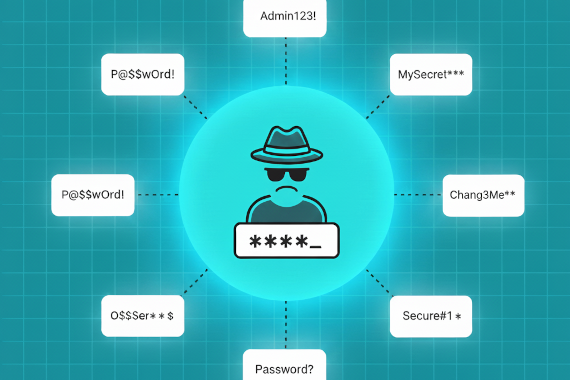
Password spraying was the top initial access method for ransomware in 2024. Here’s how to stop it.
• Password spraying tries common passwords across many accounts to evade lockout policies that block brute force attacks.
• Nation-state actors like APT28 and HAFNIUM use password spraying for initial access into enterprise networks.
• MFA blocks most password spraying attempts, but attackers target accounts without MFA protection first.
• When employee credentials leak in breaches, attackers target them. Credential monitoring catches these early.
Brute force attacks fail because account lockout policies block repeated password guesses. Attackers figured this out. Instead of trying thousands of passwords against one account, they try one password against thousands of accounts.
The Mandiant M-Trends 2025 Report found that brute force attacks, including password spraying, were the most common initial infection vector for ransomware at 26%. That’s ahead of stolen credentials and exploits.
What makes password spraying dangerous isn’t complexity. It’s simplicity. Common passwords like ‘Password123’ still work because people still use them. And when attackers get a list of your employee email addresses from a breach, they have everything they need to start spraying.
Here’s how to detect password spraying attacks and prevent them from succeeding.
Account lockout policies exist to stop password guessing. Attackers adapted.
Password spraying is a brute force attack variant where attackers try one or two common passwords against many user accounts before moving to the next password. This approach avoids triggering account lockouts that would occur when testing many passwords against a single account. Password spraying succeeds when organizations have users with weak or commonly used passwords.
The MITRE ATT&CK framework documents this as technique T1110.003. Attackers deliberately throttle attempts to stay under detection thresholds. Some password spraying campaigns try just one password per account per day.
The attack is simple but effective. Attackers need two things: a list of usernames and a list of common passwords. Employee email addresses primarily leak through third-party breaches and stealer logs. Password lists are even easier. The same weak passwords appear in every breach: Password1, Summer2025, Welcome123.
When attackers combine leaked email addresses with common password lists, they can systematically test entire organizations without triggering alerts.
Password spraying works because it exploits human behavior and security policy gaps.
The Mandiant M-Trends 2025 Report analyzed ransomware intrusions and found brute force attacks were the top initial infection vector at 26%. Password spraying was specifically called out alongside VPN devices compromised through default credentials and high-volume RDP login attempts.
Three factors make organizations vulnerable:
Weak password policies persist. Despite years of security awareness training, employees still choose predictable passwords. Seasonal patterns like Spring2025 or company-name combinations remain common. Attackers know these patterns and build wordlists around them.
Email addresses are everywhere. Third-party breaches expose employee email addresses constantly. LinkedIn provides organizational structures. Company websites list contact information. Attackers don’t need to guess usernames. They harvest them.
Detection is difficult. A single failed login doesn’t raise alarms. When attackers spread attempts across thousands of accounts over days or weeks, individual failures look like normal user errors. The pattern only emerges when you analyze authentication logs in aggregate.
The CrowdStrike 2025 Global Threat Report documented how password spraying techniques evolved in 2024. China-nexus threat actors leveraged a bug in the Entra ID Resource Owner Password Credentials authentication flow to validate credentials without logging successful sign-in events. They then automatically exfiltrated SharePoint documents.
This sophistication shows password spraying isn’t just a nuisance. Nation-state actors use it for initial access into high-value targets.
Password spraying is a favorite technique of advanced persistent threat groups because it’s low-risk and hard to detect.
APT28 (Fancy Bear) conducts distributed password spray campaigns against government and defense targets. MITRE ATT&CK documents their methodology: approximately four authentication attempts per hour per targeted account over the course of several days or weeks. They leverage Kubernetes clusters to distribute attacks across IP addresses.
APT29 (Cozy Bear) has used brute force password spray campaigns as part of broader intrusion operations. Russian intelligence services favor password spraying because it leaves minimal forensic evidence compared to phishing or malware delivery.
HAFNIUM gained initial access to targets through password spray attacks before exploiting Exchange Server vulnerabilities. The Chinese state-sponsored group combined password spraying with vulnerability exploitation for maximum impact.
Lazarus Group uses password spraying for lateral movement after initial compromise. North Korean operators generate usernames and test weak passwords to move through networks without deploying additional malware.
Storm-0940 operated the CovertNetwork-1658 botnet (also called Quad7) to conduct password spray attacks at scale. The 2025 DBIR documented this infrastructure being used against multiple organizations.
These aren’t theoretical threats. Password spraying is actively used by the most capable threat actors in the world.
Detection requires analyzing authentication patterns across your entire user population, not just individual accounts.
Look for these patterns in your authentication logs:
Distributed failures across accounts. Many accounts failing authentication within a short time window, especially with the same error codes, suggests spraying. Normal user behavior produces isolated failures.
Throttled attempt patterns. Sophisticated attackers space attempts to avoid detection. One attempt per account per hour across hundreds of accounts is harder to spot than rapid-fire attempts.
Unusual authentication sources. Failed logins from IP addresses or geographic regions that don’t match your user population warrant investigation. Cloud VPS providers and compromised devices are common attack infrastructure.
Off-hours activity spikes. Authentication failures during nights and weekends when legitimate users are inactive often indicate automated attacks.
Windows Event ID 4625 logs failed authentication attempts. Aggregate these events across your domain to identify spray patterns. Look for many accounts failing with the same sub-status code (0xC000006A indicates bad password) within a time window.
Azure AD and Entra ID provide built-in password spray detection through Identity Protection. The system analyzes authentication patterns and flags suspicious activity. Enable these alerts and tune thresholds for your environment.
Microsoft Defender for Identity monitors on-premises Active Directory and can detect password spray attacks in real-time. It correlates events across domain controllers to identify distributed attacks.
Here’s what most detection strategies miss: you can identify likely targets before attacks happen.
Credential monitoring is the continuous process of scanning dark web markets and breach data for your organization’s exposed email addresses and passwords. When employee credentials appear in breaches, those accounts become targets for password spraying and credential stuffing. Detecting exposure early lets security teams force password resets before attackers exploit the information.
When employee credentials appear in breaches or stealer logs, attackers use them for targeting. Dark web monitoring detects this exposure. You can’t prevent the breach, but you can reset passwords and enforce MFA on exposed accounts before attackers target them.
This shifts your posture from reactive to proactive. Instead of detecting attacks in progress, you’re eliminating targets before attacks begin.
Prevention requires layering multiple controls. No single defense stops all attacks.
MFA is the most effective control against password spraying. Even if attackers guess the password, they can’t complete authentication without the second factor.
Microsoft’s data shows MFA blocks 99.9% of automated credential attacks. This includes password spraying, credential stuffing, and traditional brute force.
Not all MFA is equal:
FIDO2 security keys provide the strongest protection. They’re phishing-resistant because authentication is bound to the legitimate site. Attackers can’t intercept or replay the authentication.
Authenticator apps generate time-based codes that attackers can’t predict. They’re vulnerable to real-time phishing but stop automated spraying attacks.
SMS and voice codes are better than nothing but vulnerable to SIM swapping and interception. Use stronger methods for high-privilege accounts.
Prioritize MFA deployment on externally facing services: VPN, email, cloud applications. These are primary password spraying targets. Then expand to internal systems systematically.
Weak passwords enable password spraying. Stronger policies reduce the attack surface.
Screen passwords against breach databases. When users create or change passwords, check them against known compromised passwords. NIST recommends this approach. Reject passwords that appear in breach lists.
Require sufficient length. Longer passwords resist spraying better than complex short passwords. A 16-character passphrase is stronger than an 8-character password with special characters.
Ban common patterns. Block passwords containing the company name, seasons, and keyboard patterns. These are exactly what attackers try first.
Password managers help users maintain strong, unique passwords without memorization. Enterprise deployment ensures employees have access to approved tools.
Traditional lockout policies that lock accounts after N failed attempts don’t stop password spraying. Attackers stay under the threshold.
Smart lockout tracks failed attempts across your organization, not just per account. When the system detects spray patterns, it can block source IPs or require additional verification.
Azure AD Smart Lockout learns your users’ normal sign-in locations and behaviors. It distinguishes between legitimate users making mistakes and attackers guessing passwords. This reduces false positives while catching actual attacks.
Configure lockout thresholds thoughtfully. Too aggressive locks out legitimate users. Too lenient lets attackers spray freely. Monitor and adjust based on your authentication data.
When employee email addresses appear in breaches, those accounts become targets. Credential monitoring provides early warning.
The workflow:
This proactive approach removes targets before attackers can exploit them. You can’t stop breaches at third parties, but you can minimize the impact on your organization.
Technical controls at the authentication layer slow down attacks.
Rate limiting caps login attempts per account. Configure limits low enough to frustrate attackers without blocking legitimate users who mistype passwords.
Progressive delays increase wait times after failed attempts. First failure: no delay. Second: 5 seconds. Third: 30 seconds. This makes large-scale spraying impractical.
Bot detection uses behavioral analysis to distinguish humans from automated tools. Analyze mouse movements, typing patterns, and navigation behavior. Block requests that exhibit automated characteristics.
These controls add friction for attackers while minimizing impact on legitimate users.
Fast response limits damage when password spraying succeeds.
Immediate actions (first hour):
Investigation (first day):
Remediation (ongoing):
Password spraying succeeds because it’s simple. Attackers try common passwords across many accounts, evade lockout policies, and compromise accounts with weak credentials.
The most effective defense combines multiple layers. MFA stops attackers even when they guess passwords correctly. Strong password policies eliminate the weak credentials attackers exploit. Smart lockout and bot detection add friction to automated attacks.
But the real advantage comes from proactive detection. When you monitor for exposed credentials in breach data, you identify likely targets before attacks begin. Reset those passwords and enforce MFA so the exposed credentials become useless.
Start by understanding your exposure. A dark web scan shows which employee credentials are already available to attackers. From there, you can prioritize password resets and build the layered defense that stops password spraying before it succeeds.
Protect against password spraying with multi-factor authentication on all accounts, especially externally facing services. Configure smart lockout policies that track failed attempts across your organization. Monitor for exposed credentials to identify which accounts are likely targets.
Password spraying guesses common passwords against many accounts. Credential stuffing tests stolen username-password pairs from breaches. Password spraying works when users choose weak passwords. Credential stuffing works when users reuse passwords across services.
Monitor Event ID 4625 (failed logon) for patterns where many accounts fail with the same password hash. Look for throttled attempts spread across time. Azure AD and Entra ID provide built-in password spray detection through Identity Protection alerts.
Yes. MFA blocks password spraying because attackers can’t complete the second authentication factor even if they guess the password. Microsoft estimates MFA stops 99.9% of automated credential attacks. Phishing-resistant MFA like FIDO2 keys provides the strongest protection.
Password spraying evades account lockout policies. Brute force attacks try many passwords against one account and trigger lockouts. Password spraying tries one password against many accounts, staying under the lockout threshold for each individual account.
Block the source IP addresses immediately. Force password resets on any accounts that had successful authentications during the attack window. Check for lateral movement from compromised accounts. Review MFA coverage and enable it on accounts that lack protection.
Data Theft Prevention Data Security Best Practices
What Is Data Theft Prevention? Data theft is the unauthorized taking of sensitive information for financial gain or …
Step 1: How Do You Contain the Breach? The first hours after detection set the trajectory for everything that follows. …