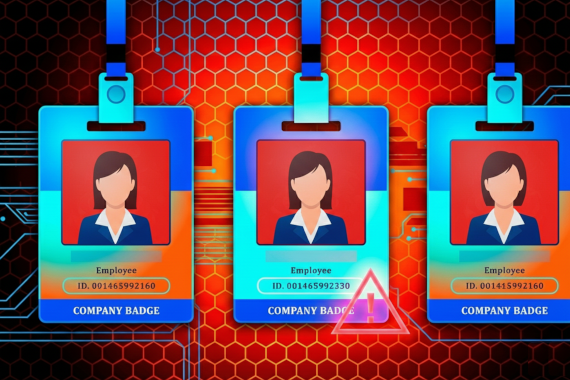
What Is an Insider Threat? A Complete Guide
Learn how to tell a compromised insider from a malicious one, and act before the attacker does.
• An insider threat is anyone who has, or had, legitimate access and uses it to do harm, whether they meant to or not.
• A compromised insider is an attacker using an employee’s login where your logs record them as the employee sending the request.
• The laptop that leaks a work login almost never runs a third-party EDR agent, so the earliest warning often comes from outside your network.
• When an employee’s password leaks, revoke their active sessions tokens along with the password.
Breaches where the attacker got in with a valid account take 243 days to identify and contain. They cost an average of USD 5.07 million. The average cost for data breaches in general is USD 4.99 million (IBM Cost of a Data Breach Report 2026).
The tools built for insider threats focus on user behavior. An attacker signed in as a real employee, from a laptop you’ve never seen, gives those tools nothing to flag.
The term covers more people than the word suggests. Employees, contractors and vendors are included, and so is anyone who has left but still has a working login.
What Is an Insider Threat?
An insider threat is the risk that someone who has, or had, authorized access to your systems uses that access to do harm, on purpose or by accident. The kind that’s hardest to catch is the compromised insider. That’s an outside attacker signed in with a real employee’s stolen password or session cookie, and in your logs they’re indistinguishable from that employee.
CISA’s definition is the formal one, and the one to put in a policy document.
An insider threat is “the potential for an insider to use their authorized access or understanding of an organization to harm that organization.” CISA defines the insider as “any person who has or had authorized access to or knowledge of an organization’s resources.”
“Insider risk” is the same idea under a different label. What matters more than the label is which of the five kinds you’re dealing with.
What Are the Types of Insider Threats?
There are five types, and you detect each one differently. The third type, the compromised insider, is the one this guide focuses on.
Malicious Insiders
Someone with access who decides to use it against you. Picture a database admin passed over for promotion twice. They know which tables hold the customer records and which exports don’t trigger an alert. That knowledge is what an outside attacker doesn’t have.
Negligent Insiders
No intent, just a mistake with consequences. An engineer reuses their work password on a personal site. That site gets breached. Now the password sits in a combo list with their work email next to it.
Ponemon’s 2026 Cost of Insider Risks study puts the average at 13.8 negligent incidents per organization, compared with 6.3 malicious and 5.3 from credential theft. Credential theft, which is what creates a compromised insider, costs the most per incident: USD 842,462.
Compromised Insiders
Here the person hasn’t done anything. Someone else is using their login.
A compromised insider is an employee or contractor whose login is in an attacker’s hands. The attacker has the real password, or a session cookie copied from the person’s browser, and signs in as them. The person doesn’t know. Your logs show that employee signing in as usual.
The password came from infostealer malware on a device the employee saved it on, or from a phishing page they typed it into. Nothing about the login has to look wrong. It’s simple enough for attackers to use a VPN and pick a plausible location.
The only early warning is the stolen password showing up outside your network, which is why compromised credential monitoring belongs in an insider threat program.
Third-Party Insiders
Contractors and vendors with access and less oversight than your own staff. A managed IT provider with VPN access to 50 client networks is the standard example. One phished admin account later and the attacker can gain access to all 50 clients.
Collusive Threats
An employee working with someone on the outside. They hand over credentials, or switch off a control, for a payment. They also know what your tools alert on, so the attacker doesn’t trip an alert.
Insider Threat Types at a Glance
| Type | Motivation | How you catch it | Example in this article |
|---|---|---|---|
| Malicious | Money, revenge | UEBA, DLP, access logs, dark web monitoring for the data | Cash App 2022 |
| Negligent | None | Password policy, phishing tests, breach monitoring | The reused password above |
| Compromised | An attacker with the employee’s login | Credential monitoring outside your network | Twitter 2020 |
| Third-party | Varies. The vendor is the way in | Vendor breach monitoring, access audits | The MSP with 50 clients |
| Collusive | Money, with an outsider’s help | Unusual behavior, a reporting channel people use | Tesla 2020 |
In all five cases, whoever does the damage is signed in with a valid login. That’s why most tools struggle to detect insider threats.
Why Are Insider Threats Hard to Detect?
Your tools are built to spot something wrong: a malware signature, or a login from a country you don’t operate in. An insider threat bypasses all of that. A real account at a normal hour, opening files that person is allowed to open.
UEBA is built to close that gap. It builds a baseline per user and flags behavior that breaks the baseline: the 2am export, or the admin who usually opens ten records and today opened 500. DLP watches the data itself on its way out. Between them they catch the malicious insider who accesses data they never used to touch, or pushes it out over the network. UEBA doesn’t catch the employee who copies the customer table they open every day onto a USB stick. IBM’s 2026 report puts breaches through removable media at 258 days to identify and contain, and notes they’re often noticed only when the stolen data turns up on the dark web.
A compromised insider gives your tools much less to work with. The login succeeds, because the password is real. If the session cookie leaked too, the attacker never sees the login page at all. A new device or location might raise a risk score, but so does every employee who buys a new laptop, so that alone is easy to dismiss. From then on your logs show the employee at work. The first thing that reliably trips an alert is a large export, and the average valid-account breach takes months to identify.
So where did the login come from? Almost never from a machine you control.
How Does an Employee Become a Compromised Insider?
An employee’s password reaches an attacker in one of three ways. The first is a breach at another site where the employee reused their work password. Those passwords are usually months old by the time the dump circulates, and often in hashed format. The other two deliver a current password in plaintext, and only one of them involves malware.
From an Infostealer on a Device You Don’t Manage
An infostealer is a type of malware that reads what the browser has saved: passwords and cookies. Some also grab passwords as the browser sends them, before the connection is encrypted. The malware runs for a few minutes and sends the logs to whoever operates it. The result is a stealer log, and whoever ends up with it has your employee’s work credentials sitting next to their Netflix password.
The password that leaks this way was never on a machine you control. Someone saved their Microsoft 365 login on a home laptop they also use for work, and an infostealer grabbed it from the browser. Your security team never saw that laptop and never had anything installed on it.
Our index shows how unprotected these machines are. Of the infected machines that leaked a Microsoft 365 or Okta login over the past year, about fifty thousand recorded what security software they ran. 90% had only Windows Defender. The rest ran either a consumer antivirus or nothing. Twenty-five ran a third-party EDR like CrowdStrike or SentinelOne.
From a Phishing Page They Filled In
The employee gets an email, or a call, about a VPN problem. They open a sign-in page that looks like yours and type their password in. The kit behind the page sends the password to the operator, sometimes even one-time tokens are stolen as well.
The password is current, because the person just typed it in. Every phishing kit has to send what it steals somewhere. When your employee’s login shows up in one of the threat actor’s phishing kit infrastructure, the employee compromised their own credential. Once the password is exposed the clock starts ticking to when it will be exploited.
What Should You Do in the First Hour After a Credential Leaks?
Do these in order.
- Revoke every session, then reset the password. The infostealer can also take the Microsoft 365 session token from the same browser, the cookie that keeps the user signed in. Anyone holding it gets into the account with no password and no MFA. Resetting the password doesn’t terminate valid sessions. In our index, about one leaked Microsoft 365 password in thirteen came with the session token, so always assume a valid session exists and should be terminated.
- Treat the device as unmanaged, because it probably is. Ask the employee which device they saved the password on. Get the malware off that device before they sign back in, or the new password will be leaked the same way.
- Investiage the rest of the stealer log. The machine that leaked the Microsoft 365 password also leaked whatever else was saved in that browser: the VPN login, and the personal email account that receives your password-reset links. Reset those too.
- If the password came from a phishing page, don’t spend the hour confirming the password is real. A password from a stealer log can be months old, so it’s worth checking whether that password still matches the one in your Active Directory. A phished credential was typed recently. Assume the account was compromised and treat the investigation accordingly.
The steps above only get done in time if the alert is one your team can action right away. A password hash sitting in a SQL dump is not that. The alert has to arrive already parsed. You need to know which user on which machine was affected and whether their session token leaked as well. Ideally the alert should land in the security stack you already use. Then working it is a ticket, not an investigation. That’s the job of dark web monitoring: detect leaked credentials and stolen session tokens before attackers exploit them, and deliver them to your security stack via webhook.
The three cases below are on the public record. Each is a different type of insider threat, and each was first discovered in a different way.
What Do Insider Threats Look Like in Practice?
Cash App: A Departing Employee and an Account Nobody Closed
On 10 December 2021 a former employee downloaded Cash App Investing reports. The reports held the full names and brokerage account numbers of about 8.2 million current and former customers. Block, Cash App’s parent company, disclosed the breach in an SEC filing in April 2022 and said the employee accessed the reports “without permission after their employment ended”.
The lesson: a malicious insider with access that outlived their job. Offboarding that closes all of their accounts on the last day is the right control here.
Tesla 2020: A Recruitment Offer That Got Reported
In the summer of 2020 a Russian national offered a Tesla employee USD 1 million to install malware on the company’s network. The plan was to pull data out and extort Tesla with the threat of leaking it. The employee reported the approach to Tesla, which called the FBI. The man was arrested in Los Angeles on August 22, 2020. He pleaded guilty the following March.
The lesson: collusion starts with an offer. This one failed because the employee knew who to report it to and actually did.
Twitter 2020: A Phone Call and a Fake Login Page
On July 14, 2020 attackers phoned Twitter employees, posing as the IT help desk with a VPN problem to fix. They sent the employees to a login page that copied Twitter’s real VPN site. As each employee typed their password, the attackers typed it into the real site, which triggered an MFA prompt that some employees approved. The next day the attackers took over 130 accounts and tweeted from 45 of them. The bitcoin scam they posted netted about USD 118,000 (New York Department of Financial Services, Twitter Investigation Report, October 2020).
The lesson: a compromised insider, due to a phone call and a fake login page. Some employees even approved the MFA prompt, so the control here is phishing-resistant MFA: a hardware key that won’t authenticate to a lookalike domain, which makes a relayed password useless.
How Do You Build an Insider Threat Program That Covers All Five Types?
Inside your network, UEBA catches malicious insiders and proper offboarding closes the door behind people who leave the organization. CISA’s insider threat mitigation guide is the usual template for dividing the work across teams: security detects the incident, HR handles the employee, and legal keeps any case against them solid enough for court. Our guides on insider threat prevention and insider threat detection software cover those controls in detail. Our list of insider threat indicators covers the warning signs.
Then add data breach monitoring for threats outside your network. Credential monitoring catches compromised insiders, because the stolen login often surfaces outside your network before its exploited. The same monitoring covers your vendors. When a vendor gets hit with ransomware, searching their leaked files for your company’s name is often how you learn that you were effected by their breach. Third-party cyber risk management covers the supplier side.
A stolen credential found on the dark web is the reason to look harder at that account inside your network. An odd export inside your network is the reason to check whether that person’s password is already exposed on the dark web.
Conclusion
Everything else in your security stack watches for the insider threat once they act. The compromised insider gives you nothing to watch for: the login is real and the traffic is normal, so the only early signal is the stolen credential itself, turning up outside your network before anyone uses it. That is the one place you can catch it early.
Breachsense is a dark web monitoring API for security teams and MSSPs. It finds credentials and session tokens that have already been stolen from your staff or customers, whether by infostealer malware, third-party breach, or a phishing site. It delivers alerts via webhook so teams can reset the affected accounts before attackers exploit them. It also indexes the files ransomware groups leak, so you can search them for your own company’s data.
Check your domain’s exposure to see which of your employees’ credentials are already out there.