What Is a Dedicated Leak Site (DLS)? How Leak Sites Work

Quick Summary
A DLS (dedicated leak site) is a website a ransomware group runs to list the organizations it says it attacked. Groups use leak sites for double extortion. They encrypt systems and steal data, then threaten to release it. If a victim doesn’t pay, the group publishes the stolen data on its DLS.
How Ransomware Groups Turn Stolen Data Into Pressure
Ransomware groups steal data as well as encrypting systems, which CISA (the Cybersecurity and Infrastructure Security Agency) calls double extortion. Groups threaten to release the stolen data to pressure victims into paying.
A leak site is where a group carries out that threat in public. It names the victim and sets a deadline. If the ransom isn’t paid, the stolen files are published on the same site.
Why Listen to Us?
Breachsense monitors the leak sites of 100+ ransomware groups.
We publish a monthly ransomware report with victim and group counts, plus annual reports. TechTarget and the Center for Internet Security’s MS-ISAC have cited our research.
What Is a Dedicated Leak Site?
A dedicated leak site is a website a ransomware group runs to name its victims and publish stolen data. You’ll also see it called a data leak site, or just a leak site. DLS is the abbreviation. They all mean the same thing.
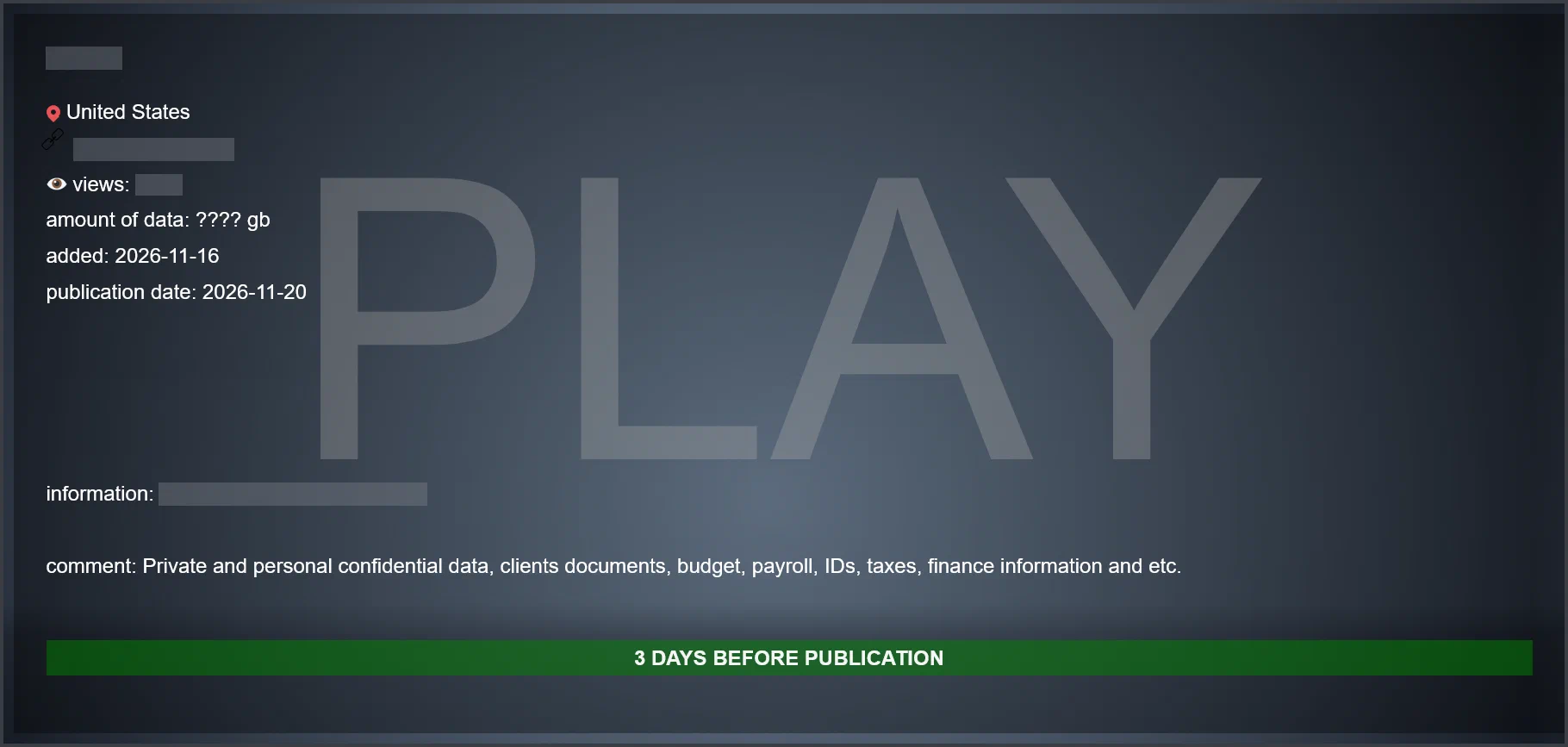
Each group runs its own site. The group lists the companies it says it attacked, often with a deadline. Sometimes the post will include the amount of data stolen and screenshots of the data. If the deadline passes without payment, the group tends to post all the files.
Leak sites often run on Tor, the network behind .onion addresses. You need the Tor browser to reach a .onion site. Tor hides the site’s IP address and physical hosting location, which makes it harder to trace and take down. Law enforcement can still seize leak sites. In February 2024, the UK’s National Crime Agency took control of LockBit’s leak site. The agency used the site to post details of LockBit’s operations.
Leak sites come and go. Groups go quiet. Some come back under new names. Our ransomware groups page lists every group we track, including the ones that have gone quiet.
How Ransomware Groups Use Leak Sites
Ransomware groups’ leak sites have three key goals:
- To list the victim. The group posts the affected company’s name and website with a short description. Listings often show a deadline for when the data will go public. Deadlines can vary from days to weeks. Some groups also set a deadline to start negotiating. CISA’s Gunra advisory says Gunra gives victims 5 to 7 days.
- To publish the stolen files. If a payment isn’t made, the group publishes the data on its leak site. Some groups post samples, others release full archives. Once the data is out, it keeps circulating. Breachsense’s ransomware groups page notes that leaked data still turns up years later.
- To pressure customers and partners. A company’s stolen files can contain data on its customers and partners. This may include customers’ personal data or supplier contracts. Once customers learn their data was stolen, the company faces more pressure to pay.
What a Leak Site Post Contains
Most posts on leak sites will name the victim and state what the ransomware group says it took. Some posts will include more information.
| Part of the post | What it shows |
|---|---|
| Victim name and website | Who the group says it attacked |
| Description | The industry, size or data the group says it took |
| Date posted | When the listing went up |
| Deadline | When the group says it will publish the data |
| Data size | How much data the group claims to hold |
| Samples | Screenshots or files posted as proof |
| File list and download links | What has been published so far |
Dedicated Leak Sites vs. Dark Web Forums
A dedicated leak site belongs to one ransomware group. It will only feature the victims targeted by that specific group.
Attackers use hacker forums to buy network access and stolen data. Some ransomware groups, such as Medusa, recruit access brokers there.
On a leak site, the ransomware group usually publishes the stolen files for anyone to download. On a hacker forum, the seller charges for stolen data.
How Reliable Is Leak Site Data?
A leak site listing is only a ransomware group’s claim. Some victims pay and get removed from the site. Others were never breached the way the group says.
In 2024, LockBit leaked files it said came from the US Federal Reserve. Evolve Bank & Trust said the files came from its own systems, which LockBit had breached. So a listing can get the victim wrong, even when the breach is real.
Compare the group’s samples with your own systems. If the listing shows a vendor, ask the vendor which of your data was taken.
Why Leak Sites Matter to Security Teams
A Listing Can Be the First Sign of an Attack
A leak site listing can be the first time a company learns it was attacked. Attackers can steal data before they encrypt anything. CISA notes that some ransomware groups skip encryption altogether. If nothing is encrypted, your systems keep running, so nothing obvious tells you the data was stolen.
If a vendor is breached, you may not hear about it until the vendor shows up on a leak site.
Your Vendors’ Breaches Show Up There Too
A vendor’s breach can contain your contracts and customer data. Some vendors store credentials for your systems too. When a vendor is hit, those files can end up on a ransomware group’s leak site.
Monitoring your vendors’ names matters as much as watching your own. Start with the vendors that store your data. Then add the ones with access to your network, such as your MSP (managed service provider).
When a vendor shows up, search its leaked files for your company’s data. Third-party breach monitoring lets you search those files for your domain and other keywords.
They Show Which Groups Are Active
Leak sites show which ransomware groups are posting victims right now. As of November 23, 2026, Breachsense’s ransomware groups page tracks 350 groups. Of those, 123 are active, which means they posted a victim in the last 90 days. The page lists 32,961 victims in total, with 1,191 named in the last 30 days.
The page uses two other labels. A quiet group has posted nothing for 90 days. A dark group has posted nothing for a year.
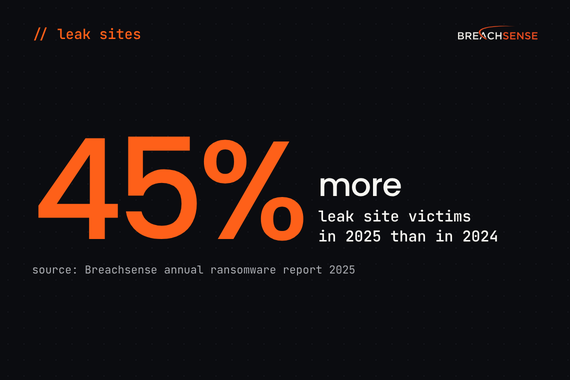
Our October 2026 ransomware report counted 953 victims from 81 groups. August 2026 is the highest month so far, with 964 victims from 83 groups. In 2025, 138 groups listed 7,307 victims, which was a 45% increase from 2024. Each of our monthly ransomware reports breaks the numbers down by group.
How to Monitor Dedicated Leak Sites
Breachsense offers ransomware leak site monitoring. You get an alert when a ransomware group lists your company or one of your vendors.
1. List the Names to Watch
List every term that could identify your company in a leak site post or a leaked file. Then add the vendors that store your data.
- Company name and brands. Include your legal name and the brand names customers know you by.
- Domains. Listings often show the victim’s website, so your domain will catch posts that misspell or omit your name.
- Subsidiaries. Add regional entities and the companies you’ve acquired.
- Project names. Add internal project and product code names, which only show up in your own files.
- Key vendors and clients. Add the ones that store your data or connect to your systems.
Review the list when you sign a new vendor or buy a company.
2. Watch for New Victim Posts
Leak sites frequently move and go offline. So checking each site by hand misses posts.
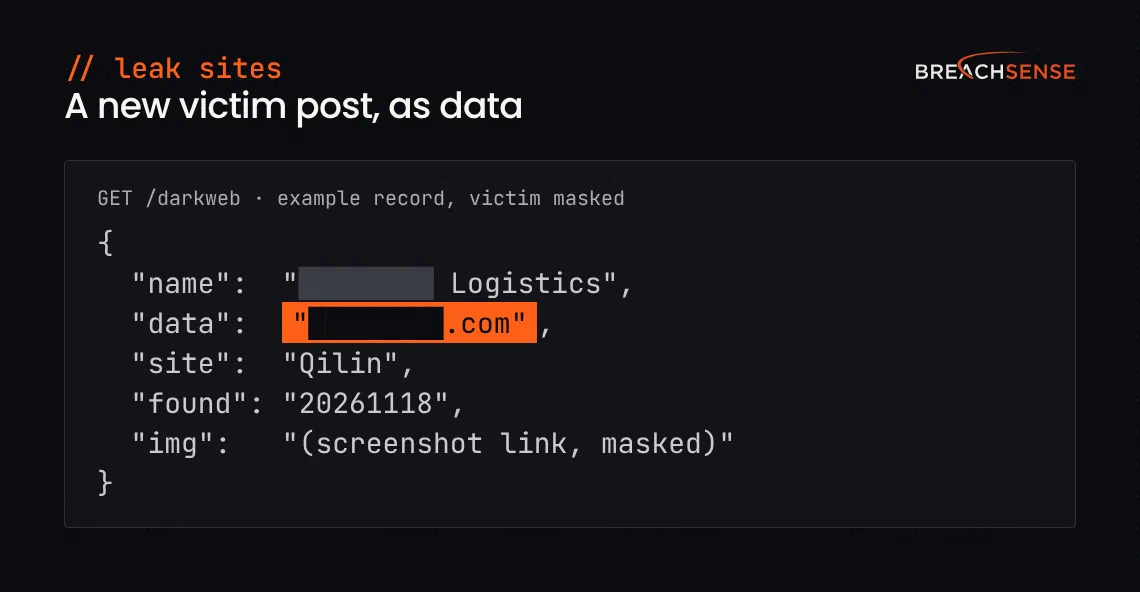
When a new victim post matches your watchlist, we send an alert by email or webhook. You can send the webhook alerts to your SIEM (security information and event management).
Each alert includes the victim company’s name and domain, the ransomware group and the date we found the post. If we have a screenshot of the post, the alert also links to it. Our API documentation describes each of these fields.
Send alerts about your own company to your incident response team. Send alerts about a vendor to vendor management and your legal team. A SOAR (security orchestration, automation and response) playbook can send each alert to the right team. The playbook can open a ticket in that team’s queue as soon as the alert arrives.
3. Search a Vendor’s Leaked Files for Your Data
A vendor’s leaked files can contain your data, even when your name isn’t shown on the listing. Search the files’ text for your company’s data, such as your domain or an employee’s name.
We index the full text of leaked files. You can search that text through our API. Each search result includes the file name and the leak date. Each result also shows the ransomware group and the victim company, so you know which breach your data came from.
Watch Leak Sites Before Your Name Shows Up
A leak site listing can be the first sign that your company or a vendor was breached. Leak site monitoring gives you time to check the ransomware group’s claim before the group publishes the files.
Book a demo and we’ll search your company’s domains during the call. A trial is available after a demo call.