
12 Best Dark Web Search Engines for Threat Intelligence
Learn how to search the dark web effectively and turn hidden threats into actionable intelligence for your security team.
• Dark web search engines index .onion sites that Google can’t reach, but they only scratch the surface of criminal activity
• Security teams use these tools for threat research and credential exposure checks
• Search engines only index public .onion sites and miss private forums and Telegram channels where real-time credential leaks happen
• Manual searching has serious limitations, which is why enterprise teams rely on automated dark web monitoring
Over half of ransomware victims had their corporate domains appear in credential dumps before the attack. The credentials were sitting on the dark web, waiting to be exploited.
The problem is that standard search engines can’t access the dark web. Google’s crawlers never see .onion sites. That means stolen credentials and leaked databases exist in places most security tools miss completely.
Dark web search engines solve part of this problem. They index hidden services and make them searchable. Security teams use them to investigate breaches and check credential exposure.
This guide covers the best dark web search engines and how to use them safely. You’ll also learn why manual searching isn’t enough for enterprise security.
What Is a Dark Web Search Engine?
The dark web (sometimes called the black web or darknet) operates on a completely different infrastructure than the regular internet. Understanding how it works helps explain why specialized search tools exist.
A dark web search engine indexes websites hosted on the Tor network using .onion domains. Unlike Google, these search engines can access hidden services that require specialized software to reach. They help users find content that exists outside the indexed surface web.
Manual searching only surfaces public .onion sites, and most credential leaks never show up there. Check your dark web exposure to see what’s already leaked about your company, or see how automated dark web monitoring catches what search engines miss.
Standard search engines like Google index the surface web by following links and crawling pages. Their bots systematically visit websites, read content, and add pages to their index. This works because surface web URLs resolve through the standard DNS system that everyone uses.
The dark web doesn’t work that way. Sites use .onion addresses that only resolve through the Tor network. Google’s crawlers can’t connect to Tor, so they never see these sites. The entire dark web is invisible to conventional search.
Dark web search engines bridge this gap. They run crawlers inside the Tor network and index .onion sites. Some operate exclusively on Tor while others maintain surface web interfaces that display dark web results.
What These Search Engines Actually Index
Dark web search engines typically index:
- Forums and discussion boards where users communicate anonymously
- Marketplaces selling both legal and illegal goods
- Whistleblower and journalism platforms like SecureDrop instances
- Privacy-focused services including email and file sharing
- Leaked databases that get posted publicly
What they don’t index matters more. Private forums requiring registration fall outside their reach. So do invite-only marketplaces and Telegram channels. Fresh credential dumps from infostealer malware never appear. To cover those gaps, security teams pair manual search with an automated platform. See our roundup of the best dark web monitoring tools for the options.
Dark Web Browser vs Dark Web Search Engine
A common point of confusion: the dark web browser and the dark web search engine aren’t the same thing. They work together but do different jobs.
The dark web browser is Tor. It’s the application you install to connect to the Tor network and resolve .onion addresses. Without Tor (or another anonymity network like I2P), you can’t reach any dark web site at all. Standard browsers like Chrome and Safari don’t speak Tor’s protocol, so .onion domains never load for them. The official Tor Browser is built on Firefox and ships preconfigured for anonymous browsing.
The dark web search engine is a website you reach through the browser. Once you’re connected to Tor through the browser, you still need a way to find .onion sites. That’s what Ahmia and Torch do, along with DuckDuckGo’s onion service. These are sites running on their operators’ servers (some on the clearnet, some as Tor hidden services themselves) that crawl other .onion sites and let you search by keyword the way you’d use Google for the regular web.
So the workflow is: install Tor Browser, connect to the Tor network, then visit a dark web search engine to find specific sites. The browser handles the network connection and your anonymity. The search engine handles discovery.
Apps that claim to be “dark web browsers” on the Apple App Store or Google Play are mostly third-party Tor wrappers. Some are legitimate (like Onion Browser for iOS, which uses Tor’s actual network). Many are scams or malware that exploit the curiosity of people looking for an easy way in. For desktop, only download Tor Browser from torproject.org. For mobile, Tor Browser for Android is the official option.
Why Do Security Teams Use Dark Web Search Engines?
Security professionals have legitimate reasons to search the dark web. These tools support several critical security functions.
Threat Intelligence Gathering
Criminals sell network access and trade stolen data on dark web forums. Security teams monitor these conversations to catch threats early. Search engines help locate relevant forums and track discussions mentioning specific companies or industries.
The 2025 CrowdStrike Global Threat Report found that access broker advertisements increased 50% year-over-year. These brokers sell network access on dark web forums. Finding their posts early can prevent breaches.
Credential Exposure Research
When credentials leak, they often appear on dark web sites before attackers exploit them. Security teams search for their company’s domains and email addresses to identify exposures. Finding leaked credentials quickly means you can reset passwords before account takeover. Run a dark web scan to check your whole domain at once instead of searching each engine by hand.
According to the 2025 Verizon DBIR, 54% of ransomware victims had their domains appear in credential dumps. Those credentials were discoverable on the dark web before the attacks occurred.
Investigating Data Breaches
After a breach, security teams need to understand what data was stolen and where it went. Dark web search engines help locate leaked files and database dumps. Posts from attackers claiming responsibility also surface. This information shapes incident response and helps assess damage.
Penetration Testing and Red Team Operations
Ethical hackers use dark web search engines to find leaked credentials for authorized testing. Real-world attackers start with credential stuffing, so penetration testers should too. Finding actual leaked passwords demonstrates risk more effectively than theoretical vulnerabilities.
What Are the Best Dark Web Search Engines?
Not all dark web search engines are equal. Some filter content aggressively while others index everything. Security teams should understand the tradeoffs.
| Search Engine | Best For | Content Filtered |
|---|---|---|
| Ahmia | Safe research, beginners | Yes |
| Torch | Maximum coverage | No |
| DuckDuckGo | Privacy-focused general search | Yes |
| TorDex | Large uncensored index | No |
| Not Evil | Uncensored research | No |
| Tor66 | Category browsing | No |
| DarkSearch | API integration, automation | No |
| OnionLand | Multi-network research | Partial |
| Just Onion | Directory browsing | Partial |
| Excavator | JavaScript-free security | Yes |
| DeepSearch | Deep indexing | No |
| The Hidden Wiki | Directory browsing, starting point | Partial |
1. Ahmia
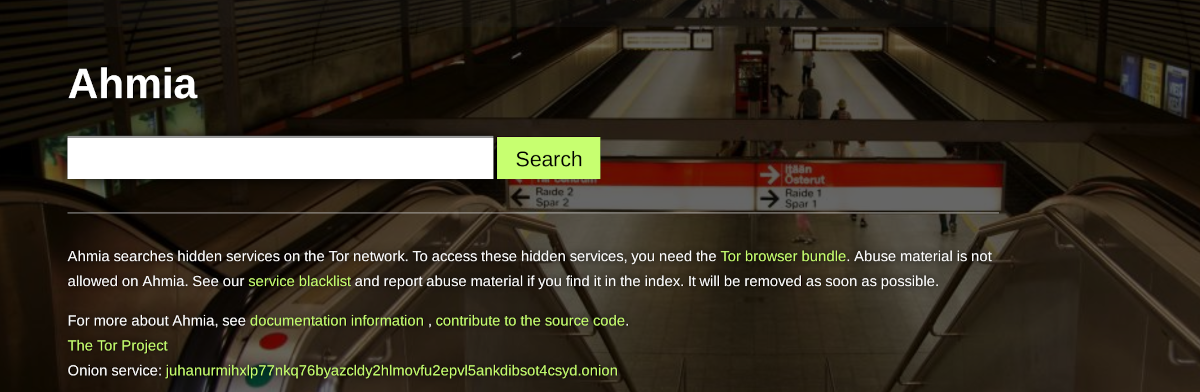
Ahmia stands out for its focus on safety and legitimacy. The Tor Project has endorsed it since 2014, which gives it credibility other search engines lack.
Key characteristics:
- Filters out illegal content and blocks known harmful sites
- Available on both surface web and Tor network
- Open source with publicly available code
- Focuses on legitimate hidden services
Best for: Initial dark web research and finding legitimate hidden services. Good for security teams new to dark web investigation.
Onion address: juhanurmihxlp77nkq76byazcldy2hlmovfu2epvl5ankdibsot4csyd.onion
2. Torch
Torch is one of the oldest dark web search engines, operating since the early days of Tor. Its longevity means a massive index built over years of crawling.

Key characteristics:
- Largest index of .onion sites
- Doesn’t filter content, so results include everything
- Simple interface focused on search functionality
- Heavy advertising can be distracting
Best for: Deep searches when you need maximum coverage. Experienced researchers who can handle unfiltered results.
Onion address: xmh57jrknzkhv6y3ls3ubitzfqnkrwxhopf5aygthi7d6rplyvk3noyd.onion
3. DuckDuckGo (Onion Service)
DuckDuckGo’s privacy focus extends to Tor. Their onion service provides the same privacy-respecting search without logging queries or tracking users.
Key characteristics:
- No tracking or query logging
- Searches surface web primarily, with some dark web results
- Familiar interface for users of the regular DuckDuckGo
- Doesn’t index illegal content
Best for: Privacy-conscious searching and cross-referencing surface web information. Users who want a familiar interface.
Onion address: duckduckgogg42xjoc72x3sjasowoarfbgcmvfimaftt6twagswzczad.onion
4. TorDex
TorDex is one of the largest uncensored search engines for the dark web. The same team runs Torch, OurRealm, and IMGDex (an image search engine for Tor). This shared infrastructure means a massive combined index.

Key characteristics:
- Large uncensored index shared with Torch
- No content filtering or censorship
- Also offers IMGDex for dark web image searches
- Actively maintained with regular updates
Best for: Comprehensive searches when you need maximum coverage. Good alternative to Torch with a different interface.
Onion address: tordexpmg4xy32rfp4ovnz7zq5ujoejwq2u26uxxtkscgo5u3losmeid.onion
5. Not Evil
The Not Evil search engine takes an explicitly unfiltered approach to dark web search. Sometimes called the “no evil search engine,” the operators state they “don’t censor a single byte” and pride themselves on indexing content other search engines exclude. The name references Google’s former motto while signaling their opposite philosophy.

Key characteristics:
- Completely unfiltered results with no content moderation
- Returns results other search engines deliberately exclude
- Privacy-focused with no logging or tracking
- Straightforward search interface
Best for: Experienced researchers who need access to content filtered by other engines. Not appropriate for casual users or compliance-sensitive environments.
Onion address: notevil2ebbr5xjww6nryjta7bycbriyi2vh7an3wcuovlznvobykmad.onion
6. Tor66
Tor66 combines traditional search with a categorized directory of .onion sites. Instead of random listings, it verifies and organizes links by category. Crowdsourced indexing means popular sites rise to the top.

Key characteristics:
- Blends search engine with categorized directory
- Crowdsourced indexing sorted by popularity
- No tracking or data collection
- Customizable search filters
Best for: Users who prefer browsing by category rather than keyword searches. Good for discovering new sites within specific topics.
Onion address: tor66sewebgixwhcqfnp5inzp5x5uohhdy3kvtnyfxc2e5mxiuh34iid.onion
7. DarkSearch
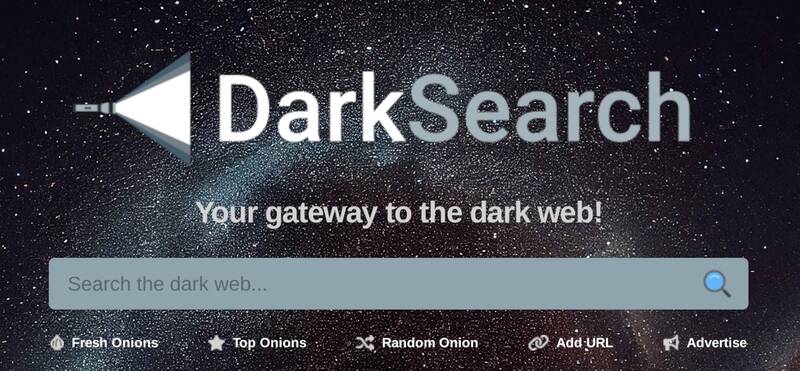
DarkSearch is built for cybersecurity professionals who need automation. It offers a free API that lets you integrate dark web searches into security tools and scripts. The engine checks if sites are live before showing results.
Key characteristics:
- Free API for automated searching
- Verifies sites are live before displaying
- Simple interface focused on results
- Designed for security team workflows
Best for: Security teams who want to automate dark web monitoring. Useful for continuous scanning without manual searches.
Onion address: darkzqtmbdeauwq5mzcmgeeuhet42fhfjj4p5wbak3ofx2yqgecoeqyd.onion
8. OnionLand Search
OnionLand searches multiple networks simultaneously. It covers Tor and I2P alongside the regular clearnet. You can filter results to a single network or see blended results. The modern interface includes search suggestions and autocomplete.

Key characteristics:
- Searches Tor and I2P alongside clearnet
- Toggle between network-specific or blended results
- Modern interface with autocomplete suggestions
- Can search for legacy V2 onion addresses
Best for: Researchers who need to cross-reference dark web content with surface web information. Useful for comparing how topics appear across networks.
Onion address: 3bbad7fauom4d6sgppalyqddsqbf5u5p56b5k5uk2zxsy3d6ey2jobad.onion
9. Just Onion
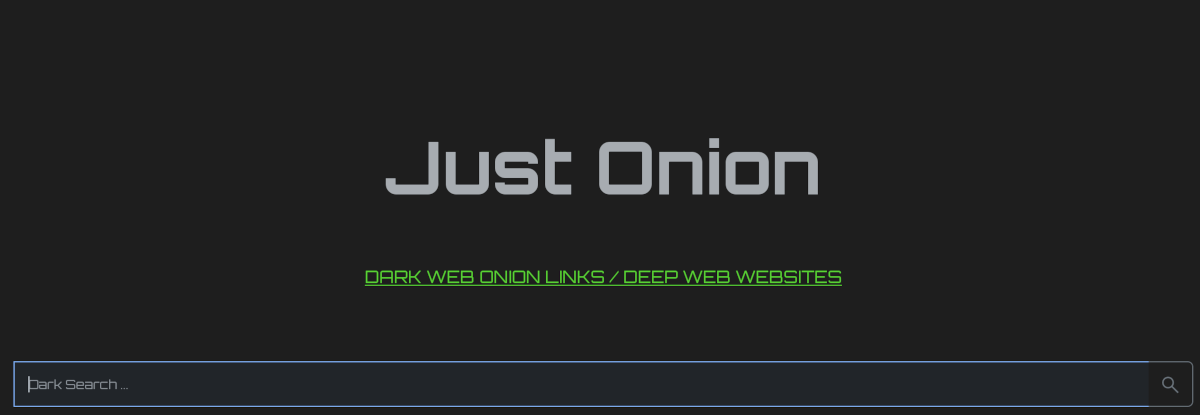
Just Onion is a curated directory of .onion sites organized by category. Rather than crawling the entire dark web, it maintains a vetted list of working links sorted into topics like forums, marketplaces, and services.
Key characteristics:
- Curated directory rather than search engine
- Categories for easy browsing
- Verified working links
- Cleaner than automated crawlers
Best for: Users who prefer browsing categories over searching. Useful for discovering new sites without wading through broken links.
Onion address: justdirs5iebdkegiwbp3k6vwgwyr5mce7pztld23hlluy22ox4r3iad.onion
10. Excavator
Excavator prioritizes security by running without JavaScript. The safe search feature filters harmful content by default. Created by anonymous activists in 2019, it focuses on anonymity without tracking users.
Key characteristics:
- No JavaScript required for security
- Built-in safe search filtering
- No user tracking
- Results-driven with minimal spam
Best for: Security-conscious researchers who disable JavaScript. Good for in-depth exploration with reduced exposure to malicious scripts.
Onion address: 2fd6cemt4gmccflhm6imvdfvli3nf7zn6rfrwpsy7uhxrgbypvwf5fad.onion
11. DeepSearch
DeepSearch focuses on indexing as much of the dark web as possible. It crawls continuously and maintains one of the deeper indexes available. The interface is straightforward with minimal distractions.
Key characteristics:
- Deep crawling for comprehensive coverage
- Simple, functional interface
- Regular index updates
- No registration required
Best for: Researchers who need to find obscure content that other engines miss. Useful when primary search engines return no results.
Onion address: search7tdrcvri22rieiwgi5g46qnwsesvnubqav2xakhezv4hjzkkad.onion
12. The Hidden Wiki
The Hidden Wiki isn’t a search engine, it’s a directory. Think of it as a curated list of .onion links organized by category. It’s one of the oldest and most referenced starting points for dark web navigation.

Key characteristics:
- Directory of .onion links, not a crawling search engine
- Categories include marketplaces, forums, financial services, and hosting
- Multiple mirrors and impostor sites exist, so verify addresses carefully
- Heavy mix of legitimate services and scams
- Frequently outdated links due to site takedowns
Best for: Finding categorized .onion links when you don’t know where to start. Useful for understanding what types of services exist on the dark web. Not reliable for current operational intelligence.
Security warning: The Hidden Wiki has a reputation for listing scam sites and honeypots. Many links lead to phishing pages or malware. Security researchers should treat every link as potentially hostile and verify addresses through multiple sources before visiting.
Onion address: zqktlwiuavvvqqt4ybvgvi7tyo4hjl5xgfuvpdf6otjiycgwqbym2qad.onion (verify current address before use, since mirrors frequently change)
How Do You Search the Dark Web Safely?
Operational security matters when accessing the dark web. Criminals monitor for researchers, and mistakes can expose your identity or compromise your systems.
Use the Official Tor Browser
Download Tor Browser only from the official Tor Project website. Third-party downloads may contain malware. The official browser comes preconfigured with security settings optimized for anonymous browsing.
Keep Tor Browser updated. Security vulnerabilities get discovered regularly, and updates patch them quickly. Running outdated software on the dark web creates unnecessary risk.
Consider VPN Placement Carefully
Using a VPN with Tor is controversial among security professionals. Connecting to VPN before Tor (VPN → Tor) hides your Tor usage from your ISP but requires trusting your VPN provider. Your VPN sees that you’re using Tor.
Connecting Tor before VPN (Tor → VPN) is generally not recommended because it defeats much of Tor’s anonymity protection. For most security research, VPN → Tor provides reasonable protection.
Disable JavaScript and Minimize Browser Features
JavaScript can leak identifying information even through Tor. The Tor Browser’s security settings allow disabling JavaScript entirely. For dark web research, the highest security setting is appropriate despite breaking some site functionality.
Avoid installing browser extensions. Each extension increases your fingerprint and may contain vulnerabilities. The default Tor Browser configuration is intentionally minimal.
Never Use Real Credentials or Personal Information
Create research-specific identities for dark web investigation. Never log into personal accounts or enter real information. Assume anything you type could be captured by malicious sites.
Use dedicated virtual machines for dark web research. This isolates your research from your primary systems and makes cleanup straightforward. Many security teams maintain separate hardware for this purpose.
Verify .onion Addresses from Trusted Sources
Phishing attacks on the dark web often involve fake versions of popular sites. Always verify .onion addresses from trusted sources before entering any information. Bookmark verified addresses rather than searching each time.
What Are the Limitations of Dark Web Search Engines?
Understanding what dark web search engines can’t do is crucial for security teams. These tools have significant blind spots.
Dark web monitoring is the automated process of continuously scanning criminal marketplaces and private forums for your organization’s leaked data. These platforms also watch infostealer channels. Unlike manual search, they access private sources and send webhook or email alerts.
They Only Index Public .onion Sites
Dark web search engines crawl publicly accessible .onion addresses. Private forums requiring registration don’t appear in results. Neither do invitation-only marketplaces or password-protected sites. The most sensitive criminal activity happens in these private spaces.
They Miss Real-Time Credential Leaks
When infostealers harvest credentials from infected devices, those credentials go directly to the criminals. They don’t post them publicly where search engines could find them. By the time stolen credentials appear on indexed sites, they’ve often been exploited already.
The 2025 DBIR found that 30% of infostealer-compromised systems were enterprise devices. Those credentials went straight to criminals without passing through searchable dark web sites.
They Can’t Access Telegram and Discord
Criminals increasingly use Telegram channels and Discord servers. These platforms aren’t part of the Tor network, so dark web search engines can’t index them. Yet significant credential trading and breach announcements happen there.
They Provide Point-in-Time Data, Not Continuous Coverage
Searching manually means checking periodically. Between searches, breaches happen and credentials leak. You only see what exists at the moment you search.
They Can’t Integrate with Security Tools
Search engine results require manual review and action. You can’t automatically feed findings into your SIEM, trigger password resets, or generate tickets. Every discovered threat requires manual follow-up.
How Do Security Teams Monitor the Dark Web at Scale?
Manual searching doesn’t scale for enterprise security. Organizations need continuous coverage across sources that search engines can’t reach.
Automated Monitoring Platforms
Professional dark web monitoring platforms solve the limitations of manual search. They maintain access to private forums and monitor infostealer channels in real-time. Credential leaks get tracked as they happen.
These platforms provide:
- Webhook and email alerting when your organization’s data appears
- Private forum access that search engines lack
- Infostealer log monitoring for immediate credential detection
- API integration with SIEM and SOAR platforms
- Historical data for investigating past exposures
When Manual Search Still Makes Sense
Dark web search engines remain useful for specific tasks. Investigating a particular forum or researching an attacker’s history benefit from manual searching. They complement automated monitoring rather than replacing it.
Matching Tools to Requirements
Small security teams might start with manual searching using Ahmia or Torch. As organizations grow, the limitations become constraints. Automated monitoring becomes essential when you need continuous coverage and integration with security workflows.
Conclusion
Dark web search engines give security teams a window into hidden criminal activity. Ahmia provides filtered, safer results. Torch offers the largest index. DuckDuckGo’s onion service adds privacy to general searching.
But search engines only scratch the surface. They miss private forums and real-time credential leaks. Telegram channels where serious criminal activity happens are invisible to them. Manual searching can’t scale to enterprise needs.
Security teams that rely only on dark web search engines will miss threats. Yesterday’s credential leak won’t show up. Neither will the infostealer harvest from an employee’s device. These require automated monitoring that continuously watches sources search engines can’t reach.
Start with a dark web exposure scan to see what’s already leaked. For continuous protection, book a demo to see how automated monitoring catches what manual searching misses.