6 Best Kaseya Dark Web ID Alternatives (2026)
Quick Summary
The best Kaseya Dark Web ID alternatives are Breachsense, Flare, SpyCloud, SOCRadar, usecure and Guardz. usecure and Guardz bundle dark web monitoring with security awareness training. Pick by how fresh you need the data to be and how you want alerts delivered.
| Tool | Best for | Rating (source) |
|---|---|---|
| Breachsense | Fresh leaked credentials sent by webhook or pulled from our API, plus leaked-file search | 4.8/5 (G2) |
| Flare | Monitoring 127,000+ Telegram channels, plus Tor and I2P (the Invisible Internet Project) sources | 4.7/5 (Gartner Peer Insights) |
| SpyCloud | Preventing account takeover by resetting exposed passwords in Active Directory, Entra ID or Okta | 4.7/5 (G2) |
| SOCRadar | Dark web monitoring inside a wider threat intelligence platform | 4.7/5 (G2) |
| usecure | Breach alerts alongside security awareness training | 4.6/5 (G2) |
| Guardz | Managed service providers (MSPs) that want one security platform for small clients | 4.6/5 (G2) |
What to Know Before You Replace Dark Web ID
Kaseya Dark Web ID scores 4.1/5 on G2 and 3.7/5 on Capterra, as of October 2026.
Teams that leave Dark Web ID want fresher data and an API that’s easier to get working. We compared six dark web monitoring tools on data freshness, API access and three other points.
Why Listen to Us?
Breachsense is a dark web monitoring API for security teams, MSPs and MSSPs (managed security service providers). We’ve indexed over 42 billion leaked credentials. We also track 100+ ransomware groups. Our founder, Josh Amishav, has spent nearly 20 years in offensive security. We publish research cited by TechTarget and The Register.
What Is Kaseya Dark Web ID?
Kaseya Dark Web ID is a dark web monitoring tool that sends MSPs and IT teams an alert when it finds their users’ leaked credentials. ID Agent built Dark Web ID. Kaseya bought ID Agent in May 2019. You can buy Dark Web ID on its own or as part of the Kaseya 365 User bundle.
Kaseya says Dark Web ID monitors over 500 chatroom channels and 600,000 private websites. Kaseya’s data integrity FAQ says Kaseya doesn’t add a breach “unless we have validated it at least twice.”
- Quick setup. On r/msp, one MSP called Dark Web ID easy to set up and use. A 2023 Capterra reviewer also liked how simple it is to add a client.
- Low upkeep. Another MSP in the same thread said Dark Web ID needs little attention once it’s set up.
- Live Data Search. MSPs can show a prospect the 100 most recent leaked records for the prospect’s domain from the past two years. The branded report masks the passwords.
- PSA tickets. Dark Web ID opens a ticket in your PSA (professional services automation) tool for each new leaked record. Kaseya calls each record a compromise.
Why Seek Alternatives to Kaseya Dark Web ID?
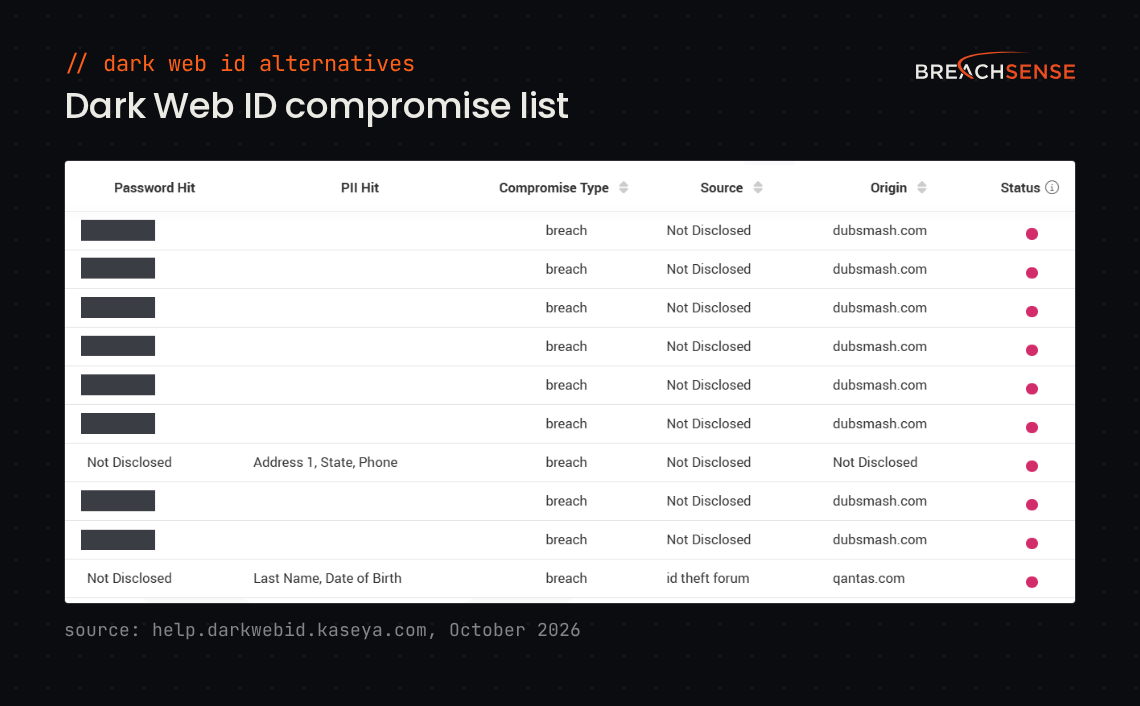
Teams switch because Dark Web ID’s alerts are often old and don’t say where the data came from. Some also want those alerts in their SIEM (security information and event management system) or their own product. Others need alerts for more than leaked credentials.
Dark Web ID’s Data Isn’t Always Fresh
Kaseya’s data integrity FAQ says Dark Web ID “imports ALL compromises found for a domain/user email,” including old ones. In an October 2025 r/msp thread, an MSP got about 10 alerts for a client’s marketing account. Each alert had a 2020 password hash (the one-way scrambled form a site stores instead of the password) linked to a site with no login, such as an old wedding blog. A 2024 G2 reviewer saw hundreds of compromises from about two years earlier appear overnight.
Kaseya says Dark Web ID detects exposed passwords and business data “the moment they appear.” Kaseya doesn’t say how old a password can be when Dark Web ID detects it. One MSP we spoke to about switching called Dark Web ID’s data old and said, “I don’t trust it.”
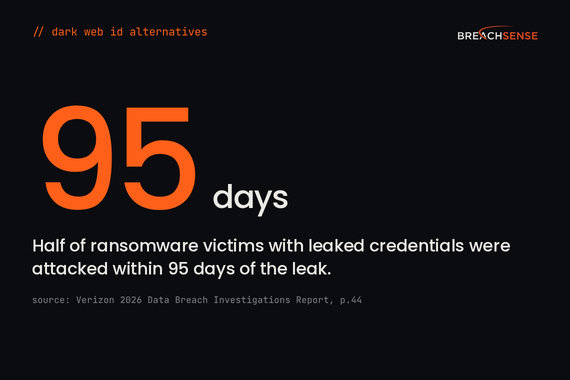
Verizon’s 2026 Data Breach Investigations Report (p.44) looked at ransomware victims with a credential or infostealer leak in the year before the attack. Half of those victims had a leaked credential in the 95 days before a ransomware group named them. So a password from last week’s stealer log (a file of data that infostealer malware takes from an infected device) needs your attention before a 2020 password hash does. To check whether an employee still uses a leaked password, you need the plaintext password. A password hash alone won’t tell you.
Dark Web ID’s API Is Only for Kaseya Partners
Dark Web ID’s API is “available only to partner users,” Kaseya’s help center says. Users at the client businesses an MSP manages (Kaseya calls them SMB users) can’t get API access. Every API request has to come from a static IPv4 address you’ve added to an allowlist. A 2023 Capterra reviewer listed “Hard to get integrations working” as a con.
Instead of an open API, Kaseya offers PSA integrations with Kaseya BMS, Autotask and ConnectWise. MSPs we spoke to also copy Dark Web ID results by hand, into SharePoint or a CRM (customer relationship management) system.
To get leaked credentials into your SIEM or your own product, pick a dark web monitoring API you can call from any server, without a partner account.
Dark Web ID Won’t Say Where It Found Your Data
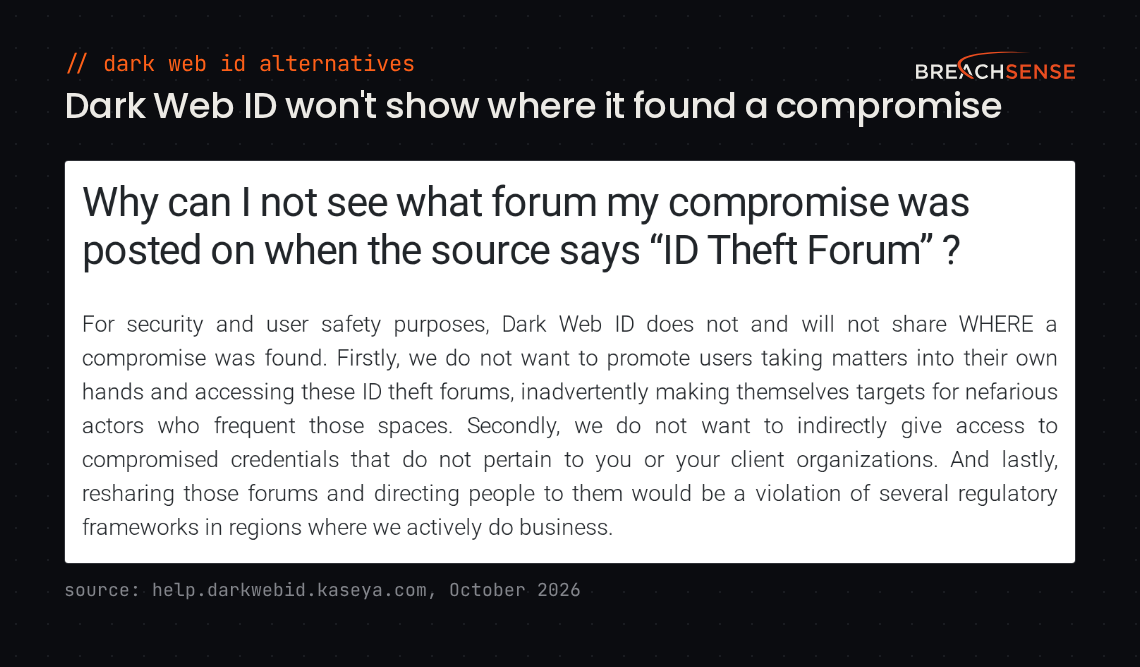
Kaseya’s data integrity FAQ says Dark Web ID “does not and will not share WHERE a compromise was found.” A 2023 Capterra reviewer said many of the listed leaks don’t say which breach or source they came from. A 2024 G2 reviewer said the missing source made it hard to judge a breach’s impact.
Instead, Dark Web ID shows a type for each compromise, such as Malware. Dark Web ID also shows a source category, such as ID Theft Forum. The FAQ says Kaseya withholds the exact location for user safety and regulatory reasons.
Dark Web ID Alerts Are Hard to Filter
“If an initial scan finds 1,000 compromises, you will receive 1,000 tickets,” Dark Web ID’s data integrity FAQ says. In a November 2025 r/cybersecurity thread, an MSP tech said they couldn’t stop alerts for leaked home addresses and ZIP codes. Those alerts gave them nothing to act on.
Kaseya offers Active User Filtering. Upload a CSV of active users, or sync a group from Microsoft Entra ID. Dark Web ID then stops sending alerts about former staff. Notification settings let you send each client’s alert emails daily, monthly or not at all.
Breaches you’ve already dealt with come back too. A 2024 G2 reviewer asked for a way to ignore an old breach once the client had changed the leaked passwords. On Capterra, a 2022 reviewer said data marked as acknowledged still shows on Dark Web ID’s reports.
Dark Web ID Doesn’t Monitor Company Names
Dark Web ID monitors the dark web “to identify stolen credentials and other personally identifiable information (PII),” Kaseya’s data integrity FAQ says. You choose which domains, email addresses and IP addresses Dark Web ID monitors. You can’t add a company name.
One MSP we spoke to wanted an alert when attackers discuss a client on hacker forums. A post like that can name the client without mentioning any of the client’s domains.
Where Breachsense Fits Better Than Dark Web ID
Breachsense is the better fit in these cases.
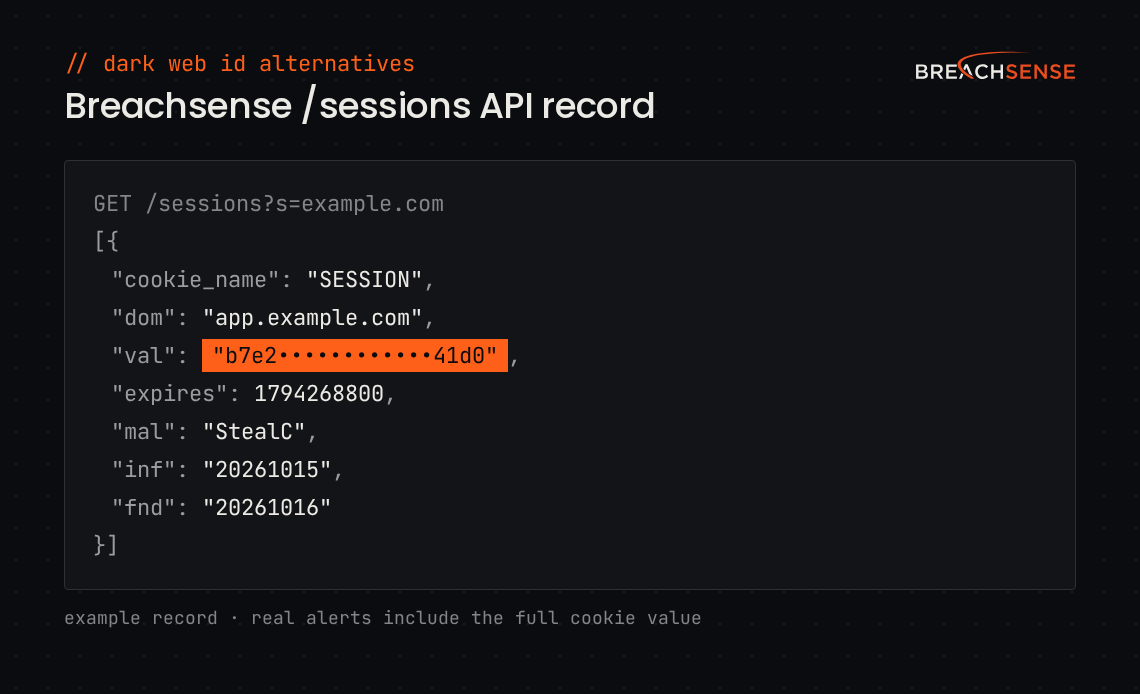
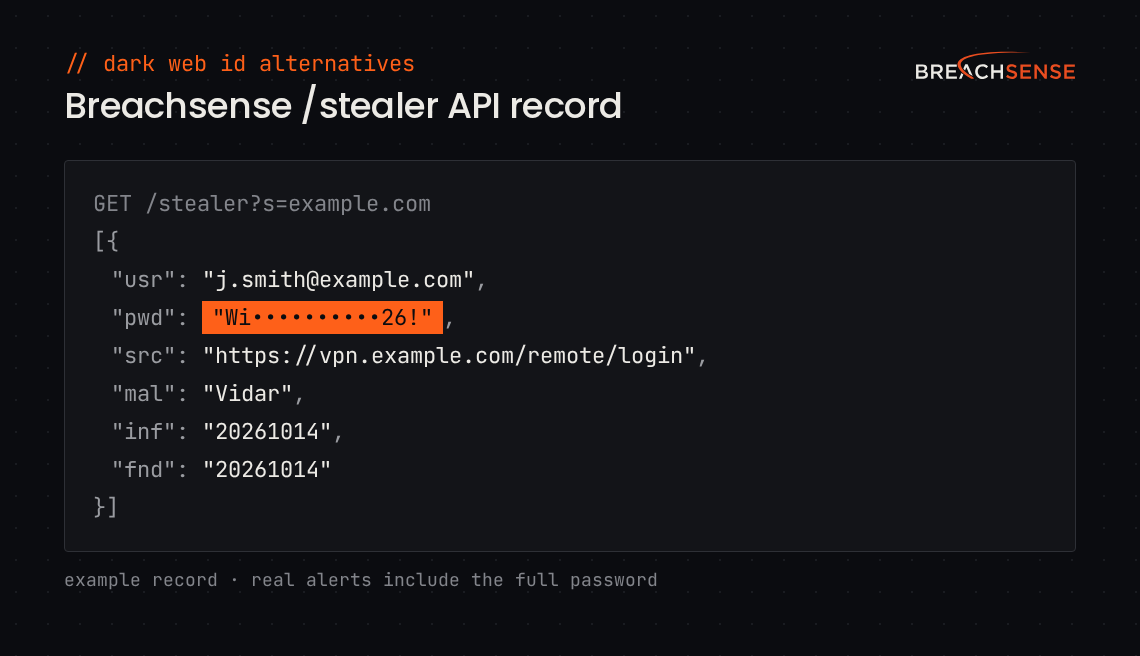
You need fresh, dated findings. We send alerts from new stealer logs within hours. Each alert shows the date we found the leaked credential. Each alert also includes the file name for stealer logs and combo lists, or the breach name for third-party breaches. Stealer log records also show the infection date, when the log includes one.
You want findings in your own tools. We send alerts by webhook (an automatic message to a web address you choose) to your SIEM or ticketing system. Your tools can also pull results from our API with just a license key.
You monitor many client domains. You choose where we send each client’s alerts. Each client can have its own webhook or email address, so alerts can go to that client’s SIEM or a Slack channel. See dark web monitoring for MSPs.
Dark Web ID is still a good fit in these cases.
You run the Kaseya stack. Dark Web ID opens tickets in Kaseya’s own BMS and Autotask. It also comes in the Kaseya 365 User bundle.
You use it to win clients. Live Data Search shows a prospect their leaked records in a branded report.
You want a dashboard. Dark Web ID has a web dashboard. We don’t.
6 Best Kaseya Dark Web ID Alternatives
- Breachsense
- Flare
- SpyCloud
- SOCRadar
- usecure
- Guardz
| Tool | Data freshness | Data sources | What an alert contains | API access | Who it suits |
|---|---|---|---|---|---|
| Kaseya Dark Web ID | Imports every compromise found, old ones included | Chatrooms, private websites, forums and botnets | Password, date found, compromise type, source category and the breached site when known, but not where Kaseya found the data | Partner users only, from allowlisted static IPv4 addresses | MSPs on the Kaseya stack |
| Breachsense | New stealer logs within hours, with every record dated | Stealer logs, combo lists, breaches, phishing kits, ransomware leak sites, forums and Telegram | Password, the site it was used on, the file or breach it came from and date found, plus malware family and infection date when the log records them | A license key, from any IP address | Security teams, MSPs, MSSPs and companies building on our API |
| Flare | Indexed within minutes, Flare says | Telegram, Tor, I2P, stealer logs, combo lists and paste sites | Password, source and import date, in API events | Public API, with the same accounts as the web app | Security teams and MSSPs |
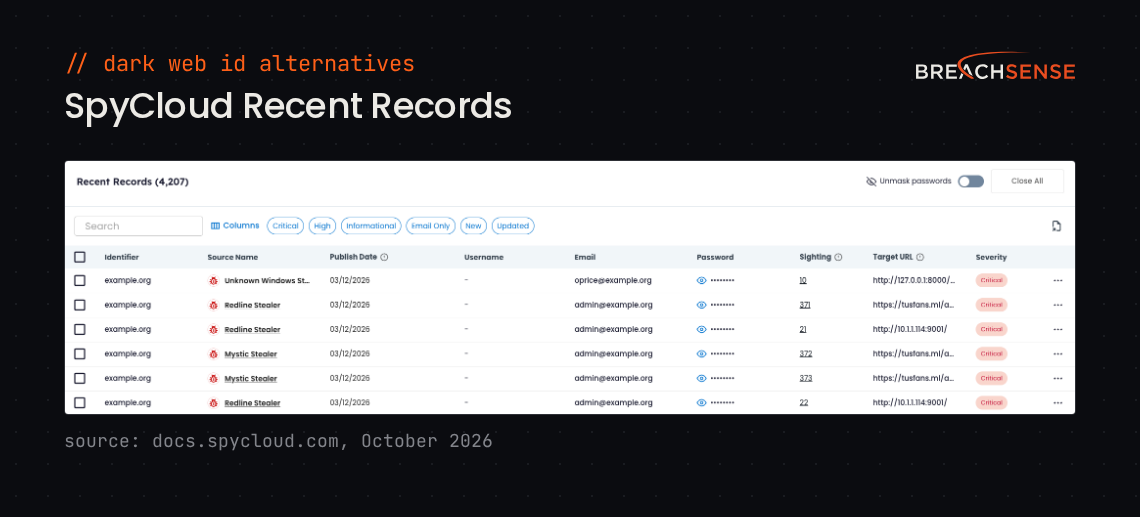
| SpyCloud | Stealer logs within hours to days, breaches within days | Stealer logs, phishing kits, combo lists and breaches | Plaintext password, credential source and exposure date | Only from IPv4 addresses on your allowlist | Security, identity and fraud teams |
| SOCRadar | Real-time, SOCRadar says | 6,000+ sources, including black markets, Telegram and Discord | Screenshots of the listing, with masked or plaintext passwords | Ultimate plan only, on its dark web monitoring plans | Teams that want a threat intelligence platform |
| usecure | Weekly scans | Breaches, paste sites and hacking forums | Breach name, date and severity, with leaked data partly redacted | Not stated | MSPs that sell security awareness training |
| Guardz | Scans every 10 days | Paste sites, Tor, I2P, leaks and bot logs | One issue listing every affected user, with passwords visible to admins | Read-only API on every plan | MSPs with small business clients |
1. Breachsense
We collect leaked credentials from stealer logs, combo lists (lists of leaked email and password pairs), third-party breaches and phishing kits. Beyond credentials, we monitor ransomware leak sites, hacker forums and Telegram channels for your company’s data.
We send alerts by webhook or email within hours of finding a new stealer log. Every record shows the date we found it.
In September 2026, 98.8% of the passwords we collected from phishing kits weren’t in any breach record or combo list we hold. That share counts only email addresses outside the major webmail providers. A tool that only checks breach data wouldn’t have found those passwords.
Our REST API returns every past record for your domains. Our API documentation has example queries for each endpoint.
Key features
- Stealer logs. Sends an alert when we find a stealer log with a password for one of your domains. Some alerts also include the malware family and infection date.
- Session cookies. Sends an alert when a stealer log contains a session cookie you’ve chosen to monitor. That cookie lets an attacker skip MFA (multi-factor authentication).
- Password cracking. Cracks leaked password hashes where possible, so you can check whether an employee still uses the password.
- Leaked-file search. Lets you search the text of files leaked in ransomware attacks, third-party breaches and unsecured databases for any term.
- Account pivoting. Lets you search by IP address to find other leaked accounts from the same infected device. A password search finds other stealer log accounts that use that password.
- Webhook and email alerts. Sends each new match to your SIEM, ticketing system or inbox.
- Client watchlists. Lets MSPs keep a separate watchlist for each client, with alerts sent to that client’s webhook or email address.
Rating: 4.8/5 on G2
2. Flare
Flare is a threat intelligence platform for security teams and MSSPs. Its dark web monitoring covers Telegram, Tor and I2P, along with stealer logs, combo lists and paste sites. Flare says it monitors more than 127,000 Telegram channels.
New data is indexed within minutes of showing up on criminal markets, Flare says. Any Flare user can generate an API key from their profile page. MSSPs get a multi-tenant console and can send reports under their own brand. See Breachsense vs Flare.
Key features
- Credentials Browser. Lets you search leaked credentials by domain, email address, username, password or URL.
- Alert Central. Sends alerts to email, Slack, Jira, Microsoft Teams or a webhook.
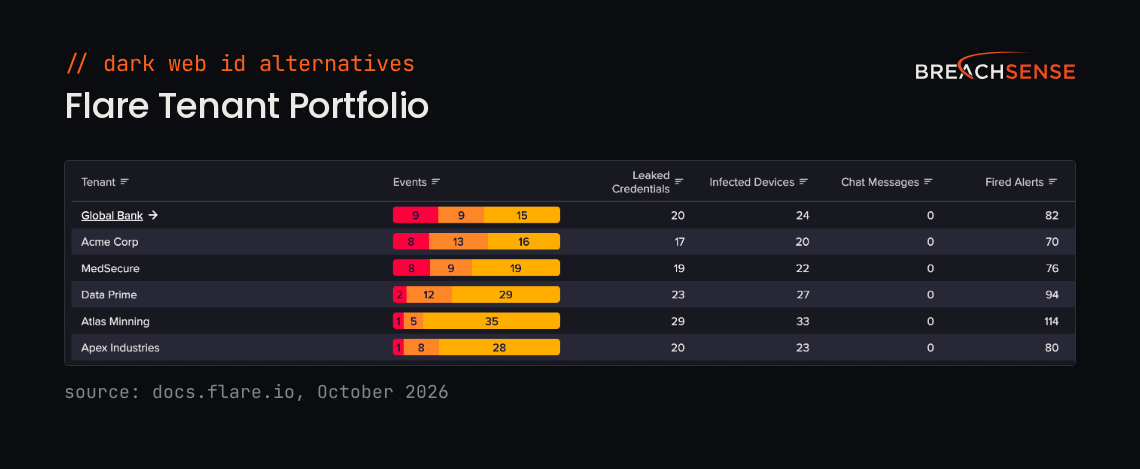
- Tenant Portfolio. Shows leaked credentials and infected devices for every client tenant in one view.
- Identity Exposure Management. Checks whether exposed credentials still work in Microsoft Entra ID or Okta. It can also revoke the sessions of a user whose credentials still work. It’s a paid add-on.
Rating: 4.7/5 on Gartner Peer Insights
Pros
- Junior analysts can investigate leaked credentials without deep technical knowledge.
- Data is fresh. One MSSP saw breach data in Flare hours after the breach happened.
- Almost everything you can do in Flare’s interface, you can also do through the API.
Cons
- Flare’s reports are only in English.
- Credentials you’ve already marked as ignored can come back later as a new event.
- Adding identifiers, such as extra domains, raises the price.
3. SpyCloud
SpyCloud focuses on preventing account takeover for security and identity teams. It sells to service providers too. It collects stolen data from stealer logs, phishing kits, combo lists and breaches. SpyCloud says it holds more than 70 billion stolen cookie records.
SpyCloud says it processes stealer logs within hours to days of collecting them, and breach data within days. Every API request has to come from an IPv4 address on your allowlist. See Breachsense vs SpyCloud.
Key features
- Identity Guardians. Resets exposed passwords and ends stolen sessions automatically in Active Directory, Entra ID and Okta.
- Session Identity Protection. Shows which stolen session cookies would let an attacker skip MFA, so you can end those sessions.
- Endpoint Threat Protection. Finds infostealer infections on managed and unmanaged devices, including personal laptops.
- Supply Chain Threat Protection. Shows which of your vendors have employees exposed in malware infections, phishing or breaches.
Rating: 4.7/5 on G2
Pros
- SpyCloud connects to Active Directory easily. One team had it running before the purchase was final.
- SpyCloud has breach data that isn’t public yet.
- The API documentation is easy to follow.
Cons
- SpyCloud’s API responses don’t always contain the same fields.
- Some breaches show up in SpyCloud with only part of their data.
- If you buy several SpyCloud modules, implementing them all at once is difficult.
4. SOCRadar
SOCRadar is a threat intelligence platform where dark web monitoring is one module. It sells a plan for businesses with fewer than 100 employees. MSSPs get a multi-tenant console. SOCRadar says it monitors 6,000+ dark web sources, including black markets, Telegram and Discord.
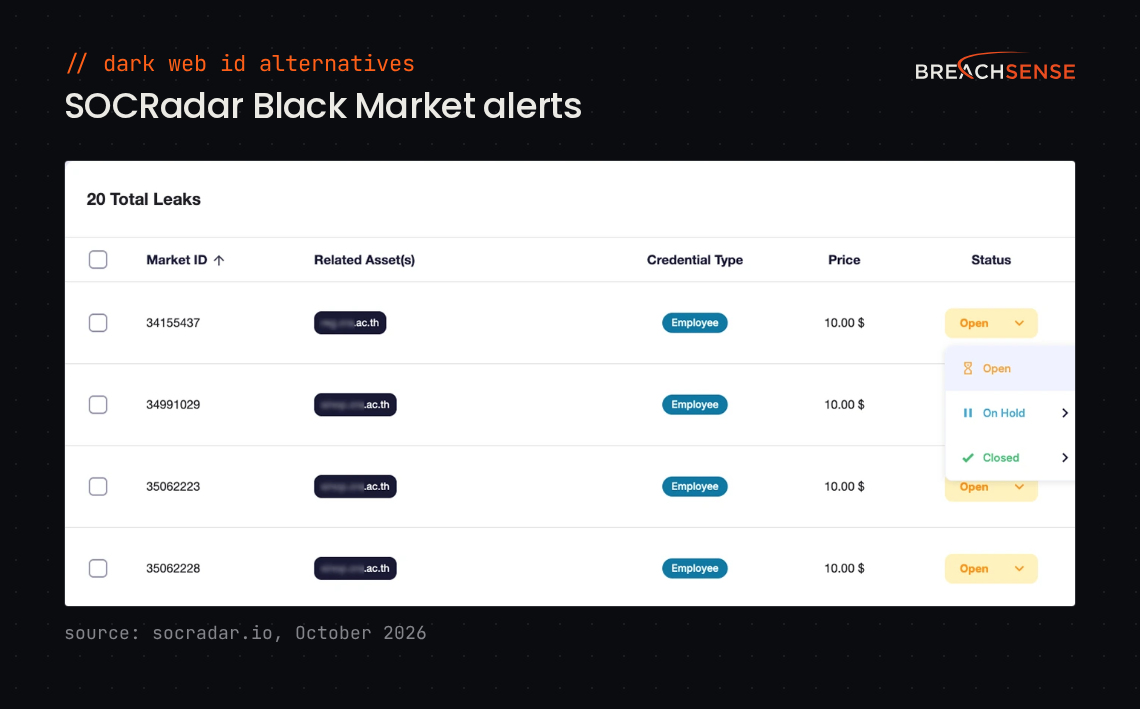
SOCRadar says it sends real-time alerts, including for stealer log credentials listed on black markets. On SOCRadar’s dark web monitoring pricing page, only the top Ultimate plan includes API access. See Breachsense vs SOCRadar.
Key features
- Dark Web Search Engine. Lets you search dark web forums and markets for domains, executive accounts or bank account numbers (IBANs).
- Identity & Access Intelligence. Shows which infostealer took a credential, from which computer and IP address, and on which date.
- Multi-Tenant Console. Lets MSSPs manage every client’s alerts from one dashboard.
- Co-Branded Reports. Puts your branding on the reports you send each client.
Rating: 4.7/5 on G2
Pros
- SOCRadar catches leaked credentials and phishing domains early. Connecting it to a SIEM is easy.
- Setup only needs your main domain, because SOCRadar finds that domain’s subdomains for you.
- Support replies fast. One reviewer sometimes had an answer by the time they refreshed the page.
Cons
- SOCRadar sends a lot of false positives in some alert categories, so you have to tune each category by hand.
- Credentials SOCRadar already reported can come back as new alerts.
- Your plan’s credits limit how many leaked credentials you can retrieve, so you sometimes have to pick which ones.
5. usecure
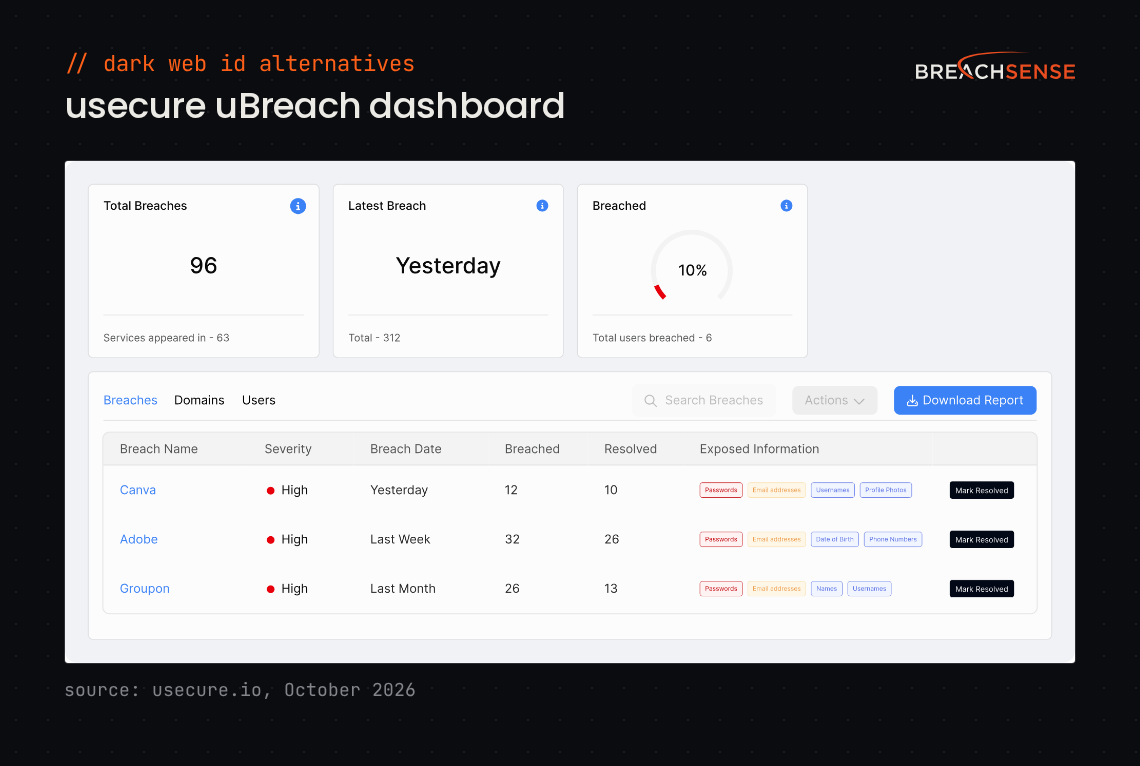
usecure is a human risk management platform for MSPs and in-house IT teams. Its dark web monitoring product is called uBreach. usecure says 2,000+ MSPs and 15,000+ organizations use its platform. uBreach finds your users’ accounts in third-party breaches, paste sites and hacking forums. Each user’s uBreach findings and phishing test results both count toward a human risk score.
uBreach checks your users’ email addresses once a week, according to usecure’s help center. uBreach Pro opens tickets in ConnectWise, Autotask, HaloPSA and NinjaOne.
Key features
- Domain monitoring. Checks every email address on your domains, including addresses of people you haven’t added to usecure.
- Breach alerts. Notifies your admins when uBreach finds a new breach. It can notify the affected users too.
- Exposed data snippets. Shows part of each leaked email address and password, with the rest redacted.
- Remediation tracking. Lets you mark a breach as resolved and see the change in your risk score.
All four features are part of uBreach Pro, the paid upgrade.
Rating: 4.6/5 on G2
Pros
- Setup takes little admin work, because usecure syncs your users from Microsoft 365 or Google Workspace.
- MSPs can put their own branding on the platform.
- usecure’s training courses take little time to finish, so participation is high.
Cons
- uBreach Pro is expensive for MSPs to resell to clients.
- End users can’t see their leaked passwords in uBreach, which creates more work for IT admins.
- MSPs can’t run one phishing simulation across several client tenants.
6. Guardz
Guardz is a security platform built only for MSPs that protect small businesses. Dark web monitoring is one control in the platform, next to email security, endpoint protection and security awareness training. Guardz says thousands of MSPs use it.
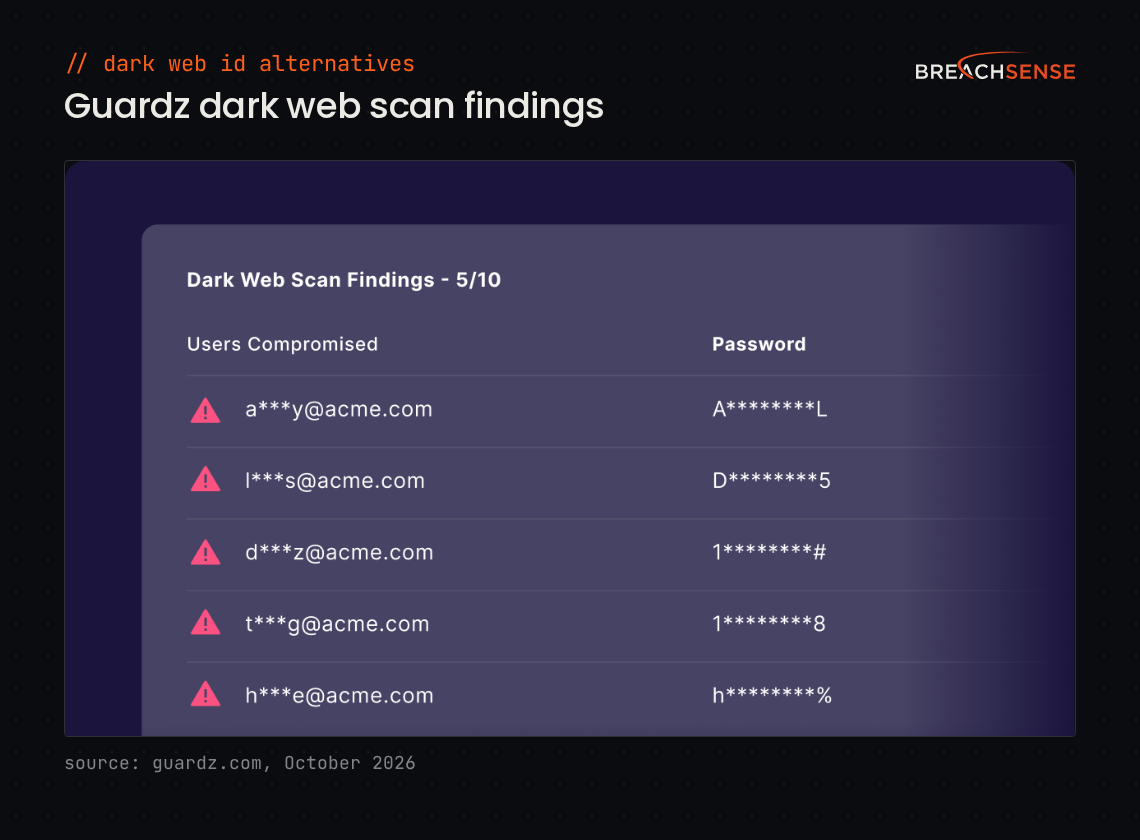
Guardz scans for leaked credentials every 10 days, according to its help center. It only shows leaks less than two years old, for active users. Admins can see the leaked passwords. In 2026, Guardz added a read-only API to every plan.
Key features
- Dark Web Monitoring. Scans your clients’ domains for leaked credentials and opens a high-severity issue with steps to fix it.
- Prospecting Reports. Scans a prospect’s domain and the dark web, then builds a branded risk report for a sales meeting.
- PSA integrations. Opens a ticket for each Guardz issue in PSAs such as ConnectWise, Autotask and HaloPSA.
- Security Awareness Training. Assigns training and phishing simulations that adapt to each user.
Rating: 4.6/5 on G2
Pros
- One dashboard shows every client and every Guardz control, so MSPs don’t log into separate portals.
- Connecting a client’s Microsoft 365 tenant is quick.
- Prospecting scans run fast enough to show a prospect its vulnerabilities during a sales meeting.
Cons
- Continuous dark web monitoring needs the client on Microsoft 365 or Google Workspace.
- Reports are hard to customize or export for clients who aren’t technical.
- Default alert priorities mix minor issues with critical ones, so teams filter their queue by hand.
Selection Criteria
How We Evaluated
We compared the tools on five points, using each vendor’s own site and docs.
- Freshness. How quickly new data shows up, and whether each finding is dated.
- Sources. Which places the tool collects leaked data from.
- Alert contents. What an alert includes, such as the password, the source and the date.
- Delivery. Whether you get findings by webhook, email or PSA ticket, or pull them from an API.
- Who can buy it. Whether the tool sells to MSPs, in-house teams or both.
Ratings come from G2, Gartner Peer Insights and Capterra, checked in October 2026.
How to Choose
Shortlist by the reason you’re leaving Dark Web ID.
| If you need… | Shortlist |
|---|---|
| Fresh data in your own tools | Breachsense |
| Telegram, Tor and I2P coverage | Flare |
| Account takeover prevention | SpyCloud |
| Wider threat intelligence | SOCRadar |
| Alerts with training | usecure |
| One platform for small clients | Guardz |
| The Kaseya stack | Dark Web ID |
| An MSP tool for many client domains | Breachsense, Flare, SOCRadar, usecure, Guardz |
On each vendor’s demo call, ask them to search your domain, or a client’s. Check that every result says where and when it was found. If you run an MSP, our guide to dark web monitoring tools for MSPs compares 10 options.
Search Your Own Domains Before You Switch
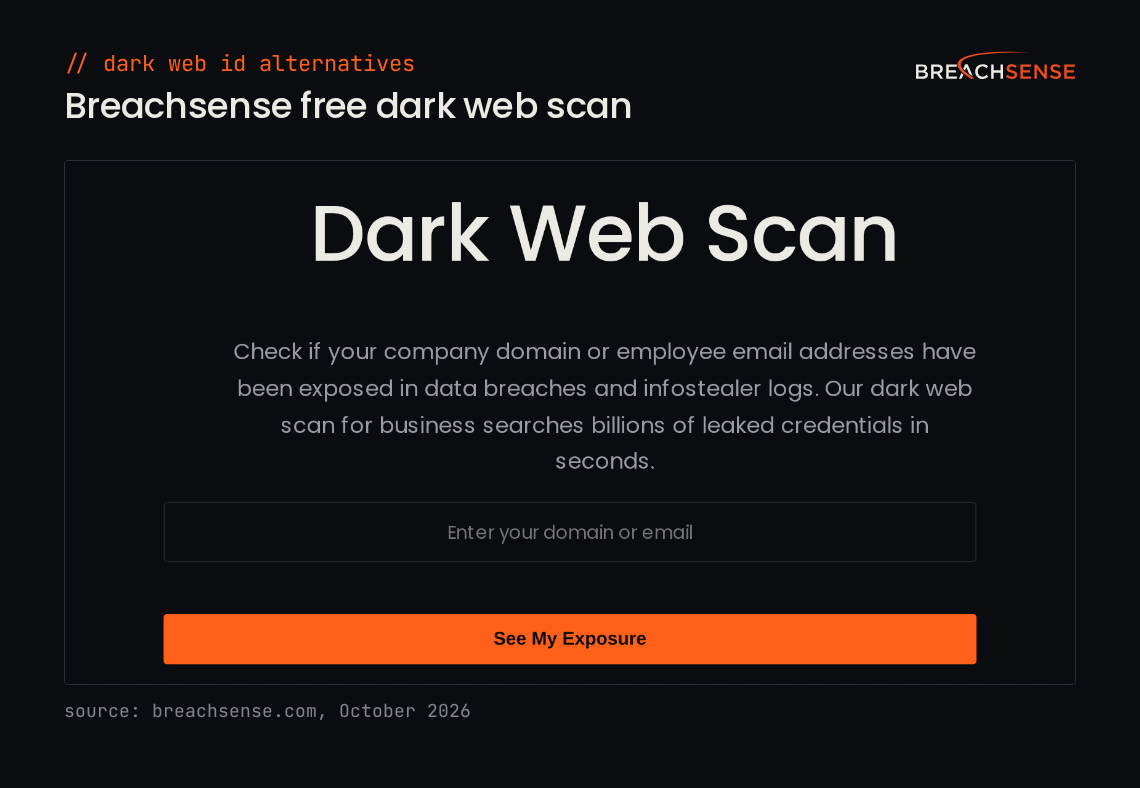
Pick a Dark Web ID alternative on freshness and delivery. Dark Web ID still suits teams that run the Kaseya stack. You can check one domain or email address with our free dark web scan.
To see how fresh our data is across your domains, or your clients’, book a demo and we’ll run a live search.